

 Reply With Quote
Can you right click on the icon > actions > (something like) make read/write? (This from memory).


I just purchased a Lexar 256mb Secure Jump Drive and want to boot a computer off Knoppix 3.8.1 CD and copy file onto usb drive. When I connect the usb drive I see a new icon on the desktop and can view the contents of the usb drive but can't save any files to it. I tried saving a text file I created as well as copying NTFS partition to the usb drive but can't write to usb drive. I am a newbie to Linux/Knoppix so any help would be appreciated.
Can you right click on the icon > actions > (something like) make read/write? (This from memory).
I tried that but it seemed as if I might be changing the properties of the desktop shortcut not the drive itself. I need some command line instructions to test the drive and then to get more info as to why I can't write to it.
 Posting Permissions


Dell 6P85J 4TB ST4000NM0063 7.2k 6Gb/s 3.5” SAS SED Hard Drive with Tray
$39.99

Western Digital HUS726T4TAL5204 4TB 7.2K SAS 12Gb/s 3.5" 512e HDD NetApp X375A
$64.00

DELL 2TB Enterprise HDD (7200RPM, 3.5", SATA III, 128MB Cache) HUS722T2TALA600
$49.95

Toshiba DT01ACA100 1 TB 3.5" SATA III 3.5 in Desktop Hard Drive
$24.99

Seagate Exos ST2000NX0253 HDD 2TB SATA 7.2K 2.5" 512b/s
$55.00

Lot of 2 HP 4TB / 128MB SATA 7.2K RPM 3.5" Hard Drive MB4000GCWDC /ST4000NM0033
$125.00

Dell ST6000NM0034 1HT27Z-150 NWCCG 6TB SAS 3.5 7.2K ENTERPRISE SERVER DRIVE
$68.99
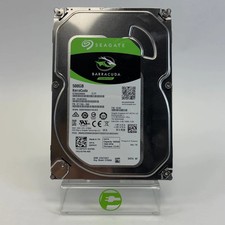
Seagate 2.5" Barracuda 1TB SATA III 6Gbps HDD 2F110A-500
$19.99

Western Digital 1TB 3.5" SATA III 7200RPM Desktop Hard Drive
$34.99

HUS726060ALA640 HGST Ultrastar 6TB SATA 6Gbps 7.2K 3.5" Hard Drive OF21860
$129.99