-
Window Manager does not start
OK, running vmware 4.5.1 on Windows XP and want to run knoppix 3.4.
Everything starts, X starts and then just sits there! I've tried forcing a windows manager to start with knoppix desktop=kde but that still does not work. I can boot to runlevel 2 (text mode) that works fine
Any ideas?
-
Senior Member
registered user
More specifics...
Where is it just sitting there?
In the "penguin" text screen during boot, or do you get into a "graphics" screen, with "Knoppix" or "Debian" on it? If you are sitting at the text screen, and the last thing it says, from all the hardware detection, etc... is something like "Starting X Server", or something like that, that would be the text screen. If, on the other hand, you get away from that "text screen" and see something closely related to a Windows "background" screen, that would be the "graphics" screen.
I am thinking you are getting stuck on the "text" to "graphics" switch, which may mean, one of three things, of which, any, or all, of these may be contributing to X Server not starting (or the KDE desktop manager)
(1) Monitor not able to handle what video card is trying to use (refresh, or resolution)
(2) Video card not able to handle what Knoppix thinks it can handle (same as above)
(3) Knoppix has detected some hardware, and is trying to start, or set it up, and it isn't working.
Numbers (1) and (2) may mean using one, or a combination of, cheatcodes on the boot: prompt to get X or Knoppix to set the right Vertical Refresh, Horizontal Refresh, or Resolution, of your monitor/video combination. If the case is number (3), then it may mean, also, using some of the cheatcodes on the boot: prompt to remove specific hardware detection on the booting, until you can resolve which device is causing the problem....
Hope this helps,
Ms. Cuddles
-
It's actually just sitting after the startup of X, i.e. the checkered background like if you just start it without a window manager. I've tried resetting (i.e. ctl+alt+backspace) but that resets, but does exactly the same thing.
Similar Threads
-
By net_benjo in forum General Support
Replies: 1
Last Post: 09-03-2004, 07:19 PM
-
By veuf in forum Customising & Remastering
Replies: 5
Last Post: 05-12-2004, 02:12 PM
-
By e7eMeNt in forum General Support
Replies: 5
Last Post: 01-08-2004, 03:02 AM
-
By neotheonlyone in forum Hdd Install / Debian / Apt
Replies: 2
Last Post: 07-07-2003, 03:15 AM
-
Replies: 5
Last Post: 02-10-2003, 06:55 PM
 Posting Permissions
- You may not post new threads
- You may not post replies
- You may not post attachments
- You may not edit your posts
-
Forum Rules


Vintage Apple M1893 Power Supply PowerBook 500 520 540 550 AC Charger
$31.99

Vintage 2002 Apple iMac G4 Rare 20" FP
$666.66
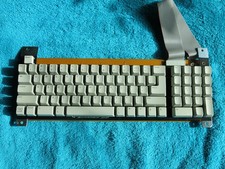
VINTAGE Rare APPLE IIE PLATINUM KEYBOARD M9019 658-4094 NEW
$225.00

Vintage Apple Macintosh IIsi Computer, Monitor, Keyboard & Mouse Complete Setup
$199.99
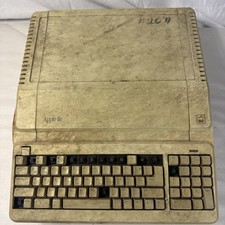
Vintage Apple IIe Platinum A2S2128 128K Computer Parts Repair Missing Keys
$100.00

Vintage Apple Extended Keyboard II M3501 Mechanical ADB - Tested & Working
$54.99

Vintage Apple II Game Lot 7 Datamost Sirius Software Beer Run Gorgon Snack Attac
$550.00
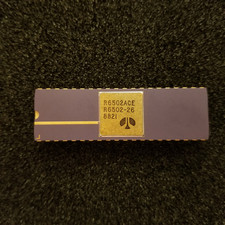
Vintage Apple I 6502A CPU: Kim 1, Pet, = (Synertek MOS), Unused, gold Ceramic
$299.99

Vintage Apple Multiple Scan 15av Display Monitor M4681
$299.99

Apple cloth fabric banner iBook tangerine orange New Old Stock Vintage
$99.00



 Reply With Quote