-
Senior Member
registered user
Have you tried this:
Code:
apt-get --reinstall remove --purge frozen-bubble-data frozen-bubble
This command would reinstall it first then remove and purge it right afterwards.
Let me know if it works or not.
Durand
-
Senior Member
registered user

Originally Posted by
cronex2000
Thanks all for replying.
I tried what mzlilikazi said, doing
touch /usr/games/frozen-bubble.wav,
then
apt-get remove --purge frozen-bubble frozen-bubble-data
That does not work either. What it does is changing the name of frozen-bubble.wav to frozen-bubble
Hmmm Did you execute that as root? If you read info touch it says:
Any FILE that does not exist is created empty.
You would need to use mv to change the name of the file. Does /usr/games/frozen-bubble.wav exist already?
I can undestand why you would think apt a poor system when you have troubles like this but please don't think that this is what it's always like. This is a bug that has also been mentioned on the mailing list. The above post is how one individual fixed it.
I think this is not technically an apt problem but rather just a missing file. I once deleted /var/backups/dpkg.status and had to copy it over from another system. Suddenly apt began telling me that I had certain packages installed when I did not. 
I *think* apt is simply doing what is is supposed to.
If you still can't get it to work you could join the mailing list. Someone there will try to help. apt really does work.
-
Junior Member
registered user
Hmmm Did you execute that as root? If you read...
Oh, I know what I'm doing on this level. Not a kernel hacker, but definitely fluent on Linux. Been using Linux (mainly RH) for many years, developing apps on Linux on a daily basis and managing a few Linux servers at our company (all RH, again). We also have RH and mandrake dev stations (about 15).
Our CVS server, bugzilla, web, email servers, dns, etc, all running on RH, and managed by myself. Since we are a small shop, old computers also become our firewall and gateway machines, also running RH Linux and OpenBSD.
So, I know my Linux ok. I always heard apt is very nice, blah blah, but this one is driving me nut. I want to be well versed in Debian as well, and I want to learn all the tools on Debian the right way.
Thanks for all the reply. I just install frozen-bubble and leave it as it is, eating up a whoppy 6.5MB of my HD  and wait the next release that'll fix this hot potato.
Now, I just need to get rid of other annoying stuffs as well 
-
I have the exact same problem with frozen-bubble-data, it seems that there are two diferents packages with the same versions 10.0.4 in the apt sources and that gets dpkg confused.
I sucesfully removed the f*cking frozen-bubble-data package with this command:
# dpkg --remove --force-remove-reinstreq frozen-bubble-data
now i cant play frozen-bubble  but apt works again
Hope this helped you.
-
Senior Member
registered user
Originally Posted by
cronex2000
Thanks for all the reply. I just install frozen-bubble and leave it as it is, eating up a whoppy 6.5MB of my HD
and wait the next release that'll fix this hot potato.
Now, I just need to get rid of other annoying stuffs as well
If I'm understanding this right, you are able to reinstall frozen bubble & apt is now a happy camper. If apt is now working, you could try upgrading frozen bubble then deleting it. Or try dpkg -P it which may now successfully remove it.
Apt is a very convenient sytem & IMHO superior to rpm's....when it works!
For removeing 'the other stuff' the easiest way is to make up a PurgeList & trash a lot in one go.
apt-get remove `cat PurgeList1` (the ` is the character under the ~ key)
Check with the remastering how-to. The PurgeList much be all one line (a space-separated list), not a CR separated list, and you can use wildcards ie apt-get remove frozen*.
-
Senior Member
registered user
Originally Posted by
CrashedAgain
The PurgeList much be all one line (a space-separated list), not a CR separated list, and you can use wildcards ie apt-get remove frozen*.
I beg to differ. A CR list works just fine.
-
-
Senior Member
registered user
Originally Posted by
mzilikazi
Originally Posted by
CrashedAgain
The PurgeList much be all one line (a space-separated list), not a CR separated list, and you can use wildcards ie apt-get remove frozen*.
I beg to differ.
A CR list works just fine.
OK, well sometimes it worked for me too.
but, with a CR separated list, if apt-get tried to remove something it couldn't find, it just stopped. With a space separated list, it continued on. So I recommended a space separated list, it seems more reliable.
-
[quote="Sol"]1.create a Frozen-bubble.wav in the /etc/games/ directory
Sorry the file has to be created in the /usr/games directory 
-
Originally Posted by
mzilikazi
Try this:
Code:
touch /usr/games/frozen-bubble.wav
Then do apt-get remove frozen-bubble frozen-bubble-data
this worked for me
thanks
Similar Threads
-
By chris-harry in forum Games
Replies: 3
Last Post: 05-30-2005, 11:01 AM
-
By Baby_Face in forum General Support
Replies: 3
Last Post: 11-04-2004, 02:52 PM
-
By Drezliok in forum Hdd Install / Debian / Apt
Replies: 5
Last Post: 07-20-2004, 11:00 AM
-
By Coorme in forum General Support
Replies: 2
Last Post: 07-14-2004, 07:08 PM
-
By c01100011 in forum General Support
Replies: 3
Last Post: 04-08-2004, 03:56 AM
 Posting Permissions
- You may not post new threads
- You may not post replies
- You may not post attachments
- You may not edit your posts
-
Forum Rules


185--Sonnet Crescendo G3 PPCG3-375-5-K-06 G3 Add-On Card for Vintage Mac
$90.00

VINTAGE Apple Mac OS X Computer Monitor
$250.00

Vintage Apple iMac G4 15" Lamp 700MHz 512MB Mac OS X 10.4.6 W/ Pro Speakers
$300.00

Vintage 1998 iMac G3 M4984 Mac OS + Keyboard Working but Needs Some Repair Read
$295.00

Apple Macintosh Plus 1MB M0001A Vintage Computer **TURNS ON **
$99.99
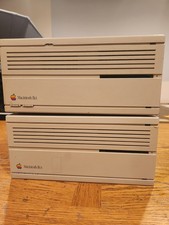
2X Vintage Apple Macintosh Desktop Computers - IIcx/IIci - Parts Repair Untested
$129.00

Apple Macintosh Plus 1MB M0001A Vintage Computer Boots Up / Floppy Disk Stuck
$99.99
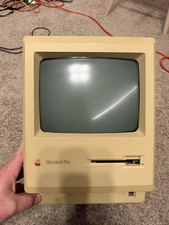
Apple Macintosh Plus 1MB M0001A Vintage Computer - Works
$169.99

Vintage Apple PowerBook 15” G4 “Aluminum” (1.25GHz/2gb/150gb/Tiger) 2
$109.99
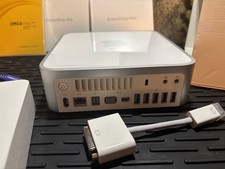
Vintage Apple Mac mini CIB (2009 Mod A1283) Original box/sealed manuals
$450.00



 Reply With Quote