

 Reply With Quote
Looks like you installed in beginner or knoppix mode. If you install in debian mode you get all this.


i installed knoppix 3.4 on my second hard drive last night. After a reboot i was suprised to see that a) it did not ask me how to log in, as knoppix or root b) from a console when i type su it changes me to root without asking me for a password c)there are no other window managers installed other than kde?

Looks like you installed in beginner or knoppix mode. If you install in debian mode you get all this.
so if i try again and choose the " debian way " it will ask me for username and passwords and also it will install all the window managers?Originally Posted by Markus
Yes.
Hmm, short post.
Markus
First of all, yes, yes it was a short post...
And sorry about "piggy-backing" this topic, but it has interest to me, since I am going to be "upgrading" to the newer version (v3.4) in a short time...
I used knx-hdinstall to install Knoppix v3.3 onto my hard drive, is that still used, or, how does one "install" Knoppix v3.4 onto a hard drive, not in "beginner" mode, and in Debian???
Consider I am doing all of this ahead of time, Knoppix v3.4 is "sight-unseen" at the moment...
What I plan on doing is "shifting" my /home, fstab, and "global" documents to a second hard drive, gutting the v3.3 hard drive, and installing v3.4 on it, then, "re-shift" back the above from the second hard drive - does anyone else have better ideas, or will this work???
I would also like to make this "upgrade" as seamless as possible, so I want to figure out where my "bookmarks", "email", etc... are, and be sure to move those as well... Maybe someone can suggest a better way for the next "version upgrade" at this time. I wanted to do the "broken-up partition" idea, but no one ever suggested sizes, so I just went with the one partition idea, on v3.3
Again, sorry to piggy-back this thread, but it didn't make much sense to make a new one, when this one appears to be in the same "ball park".
Ms. Cuddles
Actually I haven't yet had a look at 3.4. Should probably download it today just to see it, thanks for reminding. I switched to kanotix a while back and couldn't be happier with it.
I don't think knx-hdinstall is any more on the 3.4. You could try knoppix-installer or knx2hd.
I tried shifting my separate home when going from knoppix to kanotix and had a great time trying to log into kde, solution was to just rename old user, create new one and moving over the stuff I wanted so new .files were created. You shouldn't have any trouble with most global files or the fstab. Your bookmarks are under ~.mozilla/somestrangedirectory. IIRC you use kmail, haven't used it as I prefer mozilla but you should find your mail under ~.kde somewhere. Can kmail export to a file and import later?
I have all my system under 1 partition. Yes I know, not very secure but I'm behind 2 firewalls here. If you're going to partition anew, /usr is where you need space, /tmp max 1 GB to be able to download isos if it caches there, /var is where apt/archives and stuff is saved so it will grow if you don't clean it. You could cd into a /directory and do "du -a|sort -n|tail" to find out how to divide your GBs.
Hmm, long post.
 Posting Permissions


Kingston 32GB 64GB 128GB 256GB USB 3.0 Flash Drive Thumb Memory Stick Pen lot
$285.90
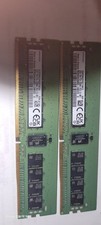
Samsung 32GBX2 1Rx4 PC4-3200AA DDR4 ECC Server Memory M393A4G40AB3-CWEBQ 64GB EC
$370.00

2 in 1 USB 3.0 Card Reader Micro TF card Reader usb adapter High Speed Cardreder
$3.99

Samsung 32GB (1x32GB) PC4-17000 (DDR4-2133) LRDIMM Memory (M386A4G40DM0-CPB0Q)
$120.00

USB 3.0 Flash Drive 32GB 64GB 128GB Memory Stick Thumb Stick Lot Pack
$826.09
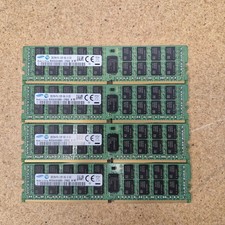
128GB Samsung DDR4 ECC 2133 | 4x32GB M393A4K40BB0-CPB0Q Registered ECC
$600.00

Samsung 96GB LPCAMM2 PC5 9600 FE1 E1 LPDDR5X CAMM2 M561K6LC3CL1-CCV DDR5 Memory
$2150.00
LOT OF (12) HPE MTA36ASF4G72PZ-2G9J3TI MICRON 32GB 2RX4 PC4-2933Y MEMORY RAM
$3000.00
Micron 64GB DDR4 PC4-2666V 4DRx4 ECC LRDIMM MTA72ASS8G72LZ-2G6D2 SERVER MEM
$320.00
Micron 16GB DDR4 2133MHz RDIMM Server Memory (MTA36ASF2G72PZ-2G1A2IG) - Preowned
$54.95