

 Reply With Quote
Click the penquin on the taskbar next to Kmenu. Then select Network/Internet > Network card config. Select your network card (mostly eth0) > dhcp.


When using Knoppix 3.4 everything works fine except my network card. I have broadband. I'm a total noob and don't have any idea how to set it up. The only distro of Linux that has ever worked with it was MandrakeMOVE. It works fine there without doing anything but nowhere else.
Anyone know what I need to do to connect to the internet??
Click the penquin on the taskbar next to Kmenu. Then select Network/Internet > Network card config. Select your network card (mostly eth0) > dhcp.
 Posting Permissions


Crucial BX500 1TB SATA III 2.5" Internal SSD (CT1000BX500SSD1)
$79.00

Dell Latitude 14" Laptop Computer Intel i5 Up To 32GB RAM 1TB SSD Windows 11 Pro
$372.48
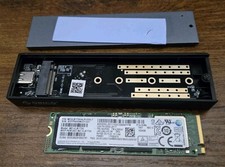
HP Samsung PM981a 1TB NVMe M.2 SSD SOLID STATE DRIVE MZ-VLB1T0B 100% HEALTH
$139.99

‼️NEW GAMESTOP EXPRESS 1TB MICROSDXC MEMORY CARD w/ ADAPTER NINTENDO SWITCH 2 ‼️
$222.22

Acer Aspire 14" AI Copilot+PC Laptop Core Ultra 5 226V Gen 4 ARC 16GB 1TB Refurb
$484.37

Dell ST91000640SS 1TB 2.5" 6Gb/s 64MB 7.2K RPM SAS Hard Drive Dell P/N: 0VXTPX
$16.99

SAMSUNG T7 Portable SSD 1TB Indigo Blue USB 3.2 Gen2 External MU-PC1T0H/AM
$159.99

Acer Predator Helios Neo 16S AI 16" i9 275HX 2S RTX 5070 Ti 32GB 1TB SSD Refurb
$1775.56

1TB SanDisk Extreme Portable SSD (Recertified) - A196-SDSSDE61-1T00
$150.99

NEW 2026 SGIN 18.5" Laptop Windows 11 PRO Intel N5095 16GB DDR4 1024GB SSD
$444.99