-
xf86config ? xf86config-4
Celeron 566 Coppermine
256Mb Memory
ATI 3D Rage IIC
Dell 1028LR 17"
Successfully boot Knoppix 3.4, graphics card autodetected ok,
monitor incorrectly detected.
ctrl+alt+F1 - to terminal
xf86config
follow prompts to monitor
enter user Horz 30-69 kHz, Vert 50-120 Hz
Complete rest of xf86config choosing correct ATI Rage
Save file as suggested
using mc examine xf86config (now timestamped to my edit)
examine xf86config-4 (no changes shown from original timestamp)
del /tmp/.X0-lock (from previous info after startx)
startx
Desktop up
Still appears to be using defaults from xf86Config-4
Q1.
Which file is used for ref xf86config or xf86config-4
seems to be reading -4 not the one created with xf86confg
Trying to use monitor to its best abiliities is the reason
Q2.
Where in the desktop can I Change the refresh rate to match some of the presets listed for my monitor
As you can see complete learner here but enjoying it all the same
-
Senior Member
registered user
Re: xf86config ? xf86config-4

Originally Posted by
Tomal
Q1.
Which file is used for ref xf86config or xf86config-4
seems to be reading -4 not the one created with xf86confg
You're correct, it IS reading XF86Config-4 so just copy the new one you created w/ xf86config to /etc/X11/XF86Config-4 (maybe move the old one to XF86Config-4.old or somesuch first).
Q2.
Where in the desktop can I Change the refresh rate to match some of the presets listed for my monitor
There is some tool in that massive KDE control center thing- dunno for sure as I prefer XFCE4 which happens to have a very easy and fucntional utility for changing resolution. I have read that the KDE solution only magnifies the screen and doesn't really cahnge the res. Again, I have no idea.
-
Re: xf86config ? xf86config-4
Cheers M8
Copied the original to safety and copied the script created one to be -4
Worked a treat - although I see additional extended modes listed in that section that don't seem to be available on the KDE Desktop.
Further reading / searching to find out how to do that is required me-thinks 
Found the the resolution changer on the Desktop via
Settings-Control Centre-Peripherals-Display
Thanks for the pointers
Similar Threads
-
By oded in forum Customising & Remastering
Replies: 4
Last Post: 11-24-2005, 01:32 PM
-
By White_Devil in forum General Support
Replies: 0
Last Post: 03-22-2005, 04:52 PM
-
By donutman in forum Hdd Install / Debian / Apt
Replies: 3
Last Post: 08-25-2004, 07:24 PM
-
By anaEiD in forum General Support
Replies: 2
Last Post: 05-04-2004, 08:20 AM
-
By paparush in forum General Support
Replies: 4
Last Post: 02-20-2003, 12:10 AM
 Posting Permissions
- You may not post new threads
- You may not post replies
- You may not post attachments
- You may not edit your posts
-
Forum Rules


GIGABYTE B365 HD3 LGA1151 Intel 9th Gen motherboard
$59.99
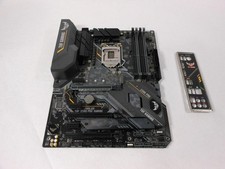
ASUS TUF Z390-PRO GAMING LGA1151 DDR4 ATX Motherboard With IO Inlucded
$100.00

ASUS PRIME Z490-P LGA 1200 Intel Z490 SATA 6Gb/s ATX Intel Motherboard NEW
$121.45
MSI B560M Pro-E LGA 1200 Intel B560 M-ATX Intel Motherboard Intel 10th 11th gen
$69.99
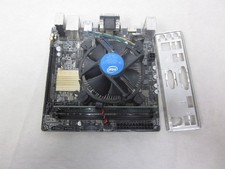
ASUS H110I-PLUS Motherboard LGA1151 w/ I5-7400 CPU, 8GB, Heatsink & I/O Shield
$60.00

ASUS PRIME Z370-A II LGA 1151 Intel Z370 DDR4 DIMM USB3.1 DVI ATX RGB
$69.99

ASRock B550M Phantom Gaming 4 AM4 AMD B550 SATA 6Gb/s Micro ATX AMD Motherboard
$81.99

Intel H81 Motherboard M.2 NVMe LGA 1150 mATX w/ IO Shield (Random Slot Color)
$29.99

ASUS PRIME H410M-K LGA 1200 Intel 10th Gen H410 DDR4 USB3.2 Motherboard M-ATX
$59.99
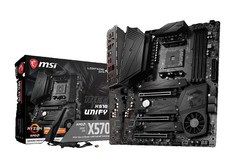
MSI MEG X570 UNIFY Socket AM4, AMD Motherboard
$400.00



 Reply With Quote