
Results 1 to 5 of 5

Thread: Problem when booting Knoppix (Orinoco Silver PCMCIA)

  1. #1
    Junior Member
    Join Date
    May 2004
    Posts
    8

    Problem when booting Knoppix (Orinoco Silver PCMCIA)

    I have been messing with this issue for awhile now. I am using Knoppix 3.4 and when I boot get a black screen which does nothing. If I use a cheat (knoppix acpi=off noscsi) it will load but only to this stage:

    PCMCIA Found, starting cardmgr.

    cardmgr[82] starting, version is 3.2.5
    cardmgr[82] socket 0: Lucent Technologies WaveLAN/IEEE Adapter
    cardmgr[82] executing: 'modprobe hermes'
    cardmgr[82] executing: 'modprobe orinoco'
    cardmgr[82] executing: 'modprobe orinoco_cs'

    As soon as "PCMCIA Found, starting cardmgr." shows a loud beep sound is heard.
    I am using a Orinoco Silver PCMCIA card. I do know and have used the "failsafe" cheat with success, but want to be able to use my wireless card. Also if I do use the "failsafe" cheat Knoppix loads VERY slow. I have had same problem with the Orinoco loadup using knoppix 3.3 but not the blank screen nor the slow loading.

    Any help would be greatly appreciated. Thanks in advance.

    Computer is Presario 2195US

  2. #2
    Senior Member registered user
    Join Date
    Feb 2003
    Location
    Germany
    Posts
    1,159
    I also have the Orinoco and it runs fine.

    What happens if you boot without the card and insert the card after everything is running fine? Please also post the output of
    Code:
    dmesg | tail
    directly after inserting the card if you still have problems.

  3. #3
    Junior Member
    Join Date
    May 2004
    Posts
    8
    If I leave the card out and let knoppix load then insert the card EVERYTHING freezes and I have to reset my laptop.

  4. #4
    Member registered user
    Join Date
    Feb 2004
    Posts
    72

    Re: Problem when booting Knoppix (Orinoco Silver PCMCIA)

    Quote Originally Posted by jsl81
    I have been messing with this issue for awhile now. I am using Knoppix 3.4 and when I boot get a black screen which does nothing. If I use a cheat (knoppix acpi=off noscsi) it will load but only to this stage:

    PCMCIA Found, starting cardmgr.

    cardmgr[82] starting, version is 3.2.5
    cardmgr[82] socket 0: Lucent Technologies WaveLAN/IEEE Adapter
    cardmgr[82] executing: 'modprobe hermes'
    cardmgr[82] executing: 'modprobe orinoco'
    cardmgr[82] executing: 'modprobe orinoco_cs'

    As soon as "PCMCIA Found, starting cardmgr." shows a loud beep sound is heard.
    I am using a Orinoco Silver PCMCIA card. I do know and have used the "failsafe" cheat with success, but want to be able to use my wireless card. Also if I do use the "failsafe" cheat Knoppix loads VERY slow. I have had same problem with the Orinoco loadup using knoppix 3.3 but not the blank screen nor the slow loading.

    Any help would be greatly appreciated. Thanks in advance.

    Computer is Presario 2195US
    perhaps check your bios settings, see if the pcmcia slot is cardbus mode.

  5. #5
    Junior Member
    Join Date
    May 2004
    Posts
    8
    I have gonna throught the bios and there are not much for settings

Similar Threads

  1. Orinoco Silver/b
    By gravity in forum Laptops
    Replies: 0
    Last Post: 08-22-2004, 11:47 PM
  2. Replies: 1
    Last Post: 08-17-2004, 02:32 PM
  3. Replies: 6
    Last Post: 07-10-2004, 01:38 PM
  4. Problem when booting Knoppix (Orinoco Silver PCMCIA)
    By jsl81 in forum General Support
    Replies: 1
    Last Post: 05-26-2004, 05:53 AM
  5. 3.2 and Dell Inspiron 2500 with Orinoco silver 802.11b
    By garyng in forum General Support
    Replies: 0
    Last Post: 03-22-2003, 09:04 AM

Posting Permissions

  • You may not post new threads
  • You may not post replies
  • You may not post attachments
  • You may not edit your posts
  •  


TP-Link TL-SG105 5-Port Gigabit Ethernet Unmanaged Metal Desktop Network Switch picture

TP-Link TL-SG105 5-Port Gigabit Ethernet Unmanaged Metal Desktop Network Switch

$19.99



NETGEAR GS308EP Essential Series 8-Port Gigabit PoE+ Unmanaged Switch picture

NETGEAR GS308EP Essential Series 8-Port Gigabit PoE+ Unmanaged Switch

$49.99


Cisco WS-C3650-12X48UR-L 48-Port Stackable Layer 3 8x10G SFP+ Port Switch picture

Cisco WS-C3650-12X48UR-L 48-Port Stackable Layer 3 8x10G SFP+ Port Switch

$129.99



TP-Link TL-SG1048 48-Port Gigabit Rackmount Switch New Factory Sealed picture

TP-Link TL-SG1048 48-Port Gigabit Rackmount Switch New Factory Sealed

$199.99


NETGEAR 5-Port Gigabit Ethernet Unmanaged Switch (Gs305) - Desktop Quiet Fanless picture

NETGEAR 5-Port Gigabit Ethernet Unmanaged Switch (Gs305) - Desktop Quiet Fanless

$16.41



5 Port Gigabit Unmanaged Ethernet Switch, Home Network Hub, Office Ethernet S... picture

5 Port Gigabit Unmanaged Ethernet Switch, Home Network Hub, Office Ethernet S...

$9.64



10-Port Gigabit PoE Network Switch with 8 PoE+ Ports with 2 Combo SFP Slots 125W picture

10-Port Gigabit PoE Network Switch with 8 PoE+ Ports with 2 Combo SFP Slots 125W

$39.99



TP-Link TL-SG105, 5 Port Gigabit Unmanaged Ethernet Switch, Network Hub, Ethern picture

TP-Link TL-SG105, 5 Port Gigabit Unmanaged Ethernet Switch, Network Hub, Ethern

$15.25



5Ports Gigabit Network Switch w/ 4 PoE+ Ports Total 52W each port 30W Plug&Play picture

5Ports Gigabit Network Switch w/ 4 PoE+ Ports Total 52W each port 30W Plug&Play

$31.99
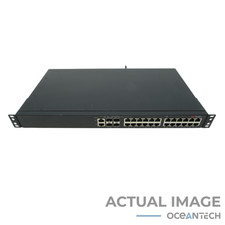


Brocade ICX6450-24 24-Port Gigabit Ethernet Network Switch W/ Ears picture

Brocade ICX6450-24 24-Port Gigabit Ethernet Network Switch W/ Ears

$74.99
