

 Reply With Quote
What's the output when you type: "ls /mnt" ?


this is how it looks like by default
# /etc/fstab: filesystem table.
#
# filesystem mountpoint type options dump pass
/dev/hda1 / ext3 defaults,errors=remount-ro 0 1
/dev/hda2 none swap sw 0 0
proc /proc proc defaults 0 0
/dev/fd0 /floppy vfat defaults,user,noauto,showexec,umask=022 0 0
/dev/dvd /dvd iso9660 defaults,ro,user,noexec,noauto 0 0
/dev/cdaudio /cdaudio iso9660 defaults,ro,user,noexec,noauto 0 0
# Added by KNOPPIX
/dev/hdb5 /mnt/hdb5 ntfs noauto,users,exec,ro,umask=000 0 0
# Added by KNOPPIX
/dev/sda1 /mnt/sda1 vfat noauto,users,exec,umask=000 0 0
i do not have a dvd though. i guess knoppix thought i did?!?!
i want to add my cdrw. How do set it up?
also, i can not write to my sda1 ( thumb drive)
whenever i try to play a cd i get an error no entry bad block or device etc..
thanks
What's the output when you type: "ls /mnt" ?
Originally Posted by pulsar
[knoppix]# ls /mnt
auto bootfloppy hda1 hda2 hda5 hdb5 miniroot sda1 test test2
[knoppix]#
It looks like your cdrom/cdwriter are not detected by knoppix. To be sure type "dmesg|grep CD". The output must show the names of your cdrom/cdwriter. If they are not detected it's no use to edit fstab.
dmesg|grep CD
hdc: CDU5211, ATAPI CD/DVD-ROM drive
hdd: Memorex 52MAXX 2452AJ, ATAPI CD/DVD-ROM drive
Vendor: SONY Model: CD-ROM CDU5211 Rev: YYS7
Type: CD-ROM ANSI SCSI revision: 02
Type: CD-ROM ANSI SCSI revision: 02
Uniform CD-ROM driver Revision: 3.12
Attached scsi CD-ROM sr0 at scsi0, channel 0, id 0, lun 0
Attached scsi CD-ROM sr1 at scsi1, channel 0, id 0, lun 0
make a dir in /mnt called cdrom
do mount -t iso9660 /dev/sr0 /mnt/cdrom
sr0 being the cd-rw
should work.
if it works change the link called cdrom in /dev (/dev/cdrom) so it ponts to sr0 instead of wherever it points now.
if it doesn't let us hear
Hm, Knoppix did detect the 2 drives but if it did so, it had to edit this in fstab. But it did not, why??
Are the 2 drives also listed in System > Info Center > Storage Devices?
If they are not listed, I don't think manually adding the drives will help! But you can always give it a try.
If you want to do this manually, 2 files have to be made first in dir. mnt, named cdrom and cdrom1.
As root type "mkdir /mnt/cdrom" and do the same for cdrom1. Add the next lines in fstab:
/dev/cdrom /cdrom iso9660 defaults,ro,user,noexec,noauto 0 0
/dev/cdrom1 /cdrom1 iso9660 defaults,ro,user,noexec,noauto 0 0
All the best
kdir /mnt/cdrom
/home/knoppix# mount -t iso9660 /dev/sr0 /mnt/cdrom
mount: /dev/sr0 is not a valid block device
i beleive the cd rom worked but for cdrom1 i get an error mount point does not exist ..
 Posting Permissions


Samsung SCXSTP000, SCX-STP000 (Swingline Staple Cartridge - 3 Refills)
$57.99
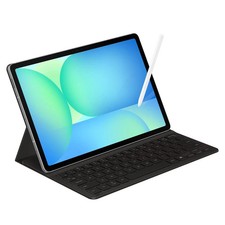
Samsung Galaxy S10 10.9" FE 128GB WiFi Tablet SM-X520NZACXAR S-Pen Keyboard 2025
$299.99

Samsung Galaxy Tab Active 3/ 64 gig/WIFI
$85.00

Samsung Galaxy View Tablet 18.4 SM-T670/677A Digitizer 100% Original Oem
$152.99
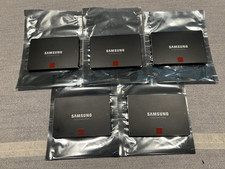
Samsung 850 Pro Series 2TB 2.5inch SATA3 6Gbp Internal SSD MZ-7KE2T0 5 Available
$189.00

Samsung DVI to DVI Cable 6 ft Digital Video Interface Audio Video NEW
$30.89

Kids Case for Samsung Galaxy Tab A9+/A9 plus 11 Inch 2023 Case, with Strap, Shoc
$27.99

Samsung JC95-01514A Cover-Side Roller T2 Compatible
$39.00
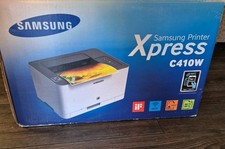
Samsung Xpress C410W Color Wireless Laser Printer - Brand New - Never Out Of Box
$289.00
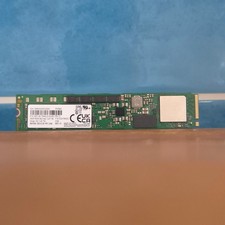
Samsung MZ1LB1T9HALS PM983 1.92TB M.2 22110 PCIe 3.0 NVMe SSD (430 EUR 0% VAT)
$601.98