

hi people i am new to linux and i have tryed installing Knoppix but it wont work i downloded it of www.linuxiso.org and installed it on cd as iso file with nero and then restared my computer as it said and it loded back into windows xp
i have check it with the MD5 and it works fine
would someone please tell me what i am doing wrong
please
Thanks in advance
Be nice, UU, it was his first post.
The biggest mistake people make is in assuming that it's like making a data disk. It's not. You don't drag and drop and then burn. If you installed nero correctly, you should be able to simply double-click the ISO file you downloaded, which will then launch Nero and ask you if you want to burn. You tell it yes (the steps aren't literal here, I don't have it in front of me). Somewhere along the line it will tell you that you have to close the file to additinonal writing for it to fit - that's OK, do it. Soon you will have a bootable disk. Make sure that your BIOS is set to boot from CD. From my experience, I recommend CD-R instead of RW, and it needs to be one of the 80min/700MB ones.
BTW, UU helped you in a way. It really does help if you can condense your question and give detailed facts. People here are generally quite willing to help, and if it's an interesting question that you've researched already (i.e., make sure you've read the FAQs and done a site search and looked in the documentation first) people will be amazingly patient and spend an incredible amount of their time. I'm not even sure if I've addressed your question, because I don't know the details.
HTH
JD
Tom,
As j.drake suggests, a big mistake "many" people have is that the ISO is an "image" file, and not just a file... Coming from the World of Windows, I know that there is LOTS of file extensions, ICO, ISO, WAV, JPG, BMP, etc... too many to count, and whats worse, some of these extensions are for "specific" things, and still others, can be simply a data file.
ISO File Extension 101:
Actually, any time someone tells you the file is a "image", think of it like a ZIP file... The file can contain one, or more, files, packed inside, as is the case for ZIP, and so too, for ISO. Only differance is that the ISO file has a complete Operating System (OS), and all of its protections, file and directory structure, contained in it.
Have you ever copied a floppy disk? Do you only have one floppy drive? In most cases, you used an "image" for it. (or you had the option to use it) -=- If you want to "duplicate" a floppy, more than one time, you have the option to use an "image" of the Source floppy, to make additional Target floppies...
How this works:
When you duplicate a floppy, or any drives data (this includes a hard drive, or CD), it takes two devices to duplicate, one for the "input" and the other for the "output", in some cases, you only have one device, and its used for both processes. If both devices exist, like a CD reader and a CD writter, you would do a Disk-to-Disk copy, but when you want to make more than one, or you only have one device, this becomes a Disk-to-Image-to-Disk copy.
The "image" is a temporary file, used to hold the contents of the Source, or Input, and then can be used multiple times, to make the output, or Target -=- all without having to re-read the Source more than one time.
What people have done, as is the case with the ISO file, they saved the temporary file used to create the Target disk, and are distrubuting it to everyone. Using this "image" anyone can make the "exact" disk as the Source, without having the Source, or the file system, or the directory structure, or file permissions, or even the same Operating System, and it will turn out the same as if you had had the Source disk.
Hope this helps, if not for a little explaination,
Ms. Cuddles
Actually, I have a hunch its setting the BIOS to boot from cdrom that is his problem since he said MD5 file check is ok.
In order to set the computer bios to boot from your knoppix cdrom you usually must press the "DELETE" key at very begining of computer boot to access the bios then go to boot priority section of bios manager sreen and set boot order to:
1. Floppy
2. CD ROM drive (not cd burner if you have more than one)
3. IDE hard drive
4 ....other drives, in the order they were previously listed
the exit with SAVE and reboot
Moustache
 Posting Permissions


🔀 Juniper Networks EX2300-C-12P 12× Gigabit PoE+ • 2× 10G SFP+ Compact Switch ⚡
$119.00

Juniper EX2300 12-Port Gigabit PoE+ Managed Network Switch P/N: EX2300-C-12P
$149.99

JUNIPER NETWORKS MIST AI AP63-US HIGH PERFORMANCE OUTDOOR ACCESS POINT - WHITE
$59.99

Juniper QFX5100-48S-3AFI 48-Port SFP+ 6 QSFP+ 2x SFP/RJ-45 Management
$249.97

Juniper SRX320 8-Port Security Services Gateway Appliance w/ AC Adapter
$59.99

Juniper AP47 Mist Wi-Fi 7 802.11 6GHz 4x4 Wireless Access Point (NEW)
$999.99

New Sealed Juniper EX4100-F-12P 12x 1GbE PoE 2x 10GbE uplinks 1 Year Warranty
$895.00
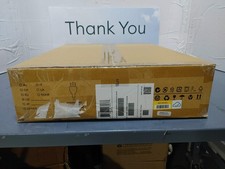
New Juniper SRX345-SYS-JB-2AC Junos Router Firewall Services Gateway 16GbE SFP
$560.15

Juniper Networks EX2300-48P 48-Port Gigabit PoE Managed Ethernet Switch
$79.99
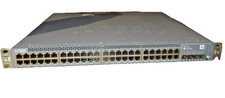
Juniper EX3400-48T Ethernet Switch, 12-Port, Gigabit, Rack Mount
$184.99


 Reply With Quote