-
Knoppix 3.4 - Loadlin and Windows ME
I am doing the poor mans install (running the compressed folder from the HDD) with loadlin. This worked for 3.3 and 3.4 when i had Windows 98.
NOW that i have installed Win ME instead (from scratch), I cannot get knoppix to boot; 3.3 or 3.4.
To get to knoppix in 98 i would use F8 to start up in DOS mode and then execute a batch file to launch knoppix.
In win ME you cannot get to the command prompt using F8 so I downloaded a patch from
http://www.dewassoc.com/support/winme/real_dos.htm
This worked and i could get to the command prompt using F8.
HOWEVER.
When i try to run knoppix it drops out saying i need at least 16 MB of RAM to run it. It said i had only 13 MB when it was setting the path. I have 64 MB on my laptop so i know it can run (as it did with 9 . I thought it might be down to the patch so i tried using a win me boot disk. The same thing happened.......
So i installed 3.3 and created a knoppix boot floppy, which worked fine
and booted knoppix. It also reported 61 MB, so it must be a problem with the WIN ME boot disk. I also used a win 95 boot disk and this also worked and reported 61 MB too.
Some of you might say go back to 98SE, but as its a dodgy copy i cant update it, my ME disk is OK.
What i want to know is, is there anyway to install a win98 DOS which will work from F8?
I have tried,
http://www.mvps.org/dts/WinME_DOS/Win-ME.htm
but knoppix will not run using this.
Is there anyway to modify the F8 menu so i can execute a batch file
instead? if so how?
-
Senior Member
registered user
If you had asked me that question some 3 yrs ago, I would have told you it was possible, but messy. It would have been like this:
1)Install win98
2)Copy all the *.sys, *.exe, *.bat files from /windows & /windows/system to /dos98
3)Make a boot floppy from win98 before exiting
4)Boot with win98 floopy you made, and run fdisk/mbr followed by sys c:
5)Edit msdos.sys, config.sys, and autoexec.bat files to point all dos commands to /dos98.
6)Delete /windows & /program files, leave only /dos98.
7)Copy all dos files from ramdisk to /dos98, overwrite if it prompts you.
8)Reboot and voila! Dos 98 without windows!
That was how I did it. WinMe can be done the same way using the winME boot disk, all you had to copy was the stuff in the ramdisk to /dosme for example.
Note: For the record, I keep dos around on all of my systems, yes even thru winxp. I'm a command line fanatic.
HTH,
Durand
-
Hmm how do you get to DOS? would it work if you then installed windows?
I want to have ME and knoppix.
Also how do you point all dos commands to dos98 is it just altering the
directory names to dos98? or do you need to add extra lines?
also how do you copy the ram disk?
I guess i need to read about it on the net but if you know off the top of your head write it here please.
---------------------------------------------
I would still like to know if it is possible to chnage the F8 menu and launch
a batch file ... also how it could be done in XP with the boot.ini too.....
-
Actually, I have an old Window ME rescue boot floppy from back when I had winME on my computer. The DOS on that boot floppy is what i use to boot into (giving me a C:\ prompt) to the cd to c:\knoppix and get to loadlin.exe to boot knoppix. This boot floppy works even though i have window XP pro on my computer at present. Try making a windows rescue boot floppy in windows ME and see it that will allow you to run knoppix from your C:\ drive (it works for me). The F8 boot into dos is not available from win ME or XP as far as I can tell. But putting in a boot floppy to get to knoppix seems pretty simple to me.
Moustache
-
I used the ME boot disk and f8 patch on my desktop which has 1 GB
and it worked fine and didnt show the big memory difference compared
to my laptop im wondering what is up.
The same thing happens if i use an XP boot floppy.
why does the 95 one work fine? i expect a 98 one will too.
Similar Threads
-
By y23 in forum Hardware & Booting
Replies: 3
Last Post: 09-12-2005, 09:09 PM
-
By bigkahuna in forum MS Windows & New to Linux
Replies: 5
Last Post: 01-13-2005, 09:47 PM
-
By yuu_shi in forum General Support
Replies: 1
Last Post: 02-05-2004, 08:17 AM
-
By mack in forum General Support
Replies: 19
Last Post: 08-09-2003, 01:11 AM
-
By subarus in forum General Support
Replies: 2
Last Post: 04-28-2003, 04:48 PM
 Posting Permissions
- You may not post new threads
- You may not post replies
- You may not post attachments
- You may not edit your posts
-
Forum Rules


Intel Xeon E5-2680 V2 2.8GHz 10-Core 25MB 8GT/s SR1A6 LGA2011 B Grade Server CPU
$7.95

NEW HP Z4 G4 Workstation Xeon W-2123 16GB ECC 256GB NVMe NVIDIA T400 750W Win11
$450.00

Dell PowerEdge FX2s + 8x FC430 Blades 16x E5-2630v4 160 Cores Rails No PSU/RAM
$699.00

Intel Xeon Phi 5110P 60-Core 1.053GHz Coprocessor
$50.00

Intel Xeon E5-2699 V4 2.20GHz 55M 22-CORES LGA2011-3 Server Processor 145W SR2JS
$84.49

Lenovo ThinkStation P520c Intel Xeon W-2133 6-Core 3.60GHz -NO RAM/ HDD/ GPU/ OS
$127.54
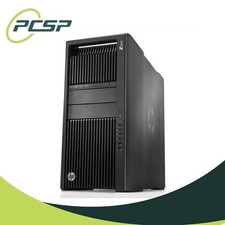
HP Z840 44 Core Workstation 2x Xeon E5-2699 v4 - No RAM/ GPU/ HDD/ OS
$594.97
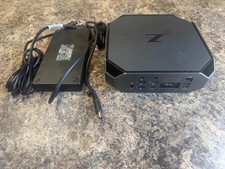
HP Z2 Mini G5 Workstation Xeon W-1270P 3.8GHz/16GB/1TB SSD/ NVIDIA T1000/W11 Pro
$349.00

Lenovo ThinkServer TS460 Part Number: 70TS-S01U00
$279.00
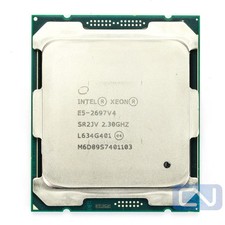
Intel Xeon E5-2697 v4 2.3GHz 45MB 9.6GT/s SR2JV 18 Core LGA2011-3 B Grade CPU
$26.95



 Reply With Quote