

 Reply With Quote
Maybe partimage works better for you?


Am reasonably new to Linux and completely new to Knoppix. Just used Knoppix to boot an XP machine with 1 hdd and 3 partitions(NTFS). There was an error message on boot up that the drive partition table could not be read. Mount did not list an hdd and using mount with hda did not work. However I went ahead and used "dd if=/dev/hda of=/dev/hdb". It seemed to work, although it was a 40 Gig drive and I did not do a by file comparison. Thing is it was still running after about 8 hours - isn't this too long - did I make some setup error? Also is there a way to image a drive of say 40 gig to a partition on a 80 Gig drive so that multiple smaller drives could be imaged onto the single larger drive. Really appreciate any help.
Maybe partimage works better for you?
Yes it would if this was just an image of used space - and I should have noted in my first post - I have to have a complete copy of the entire drive, especially the free space, so I need the bit-stream image provided by dd. The image is for forensics use, and we have to examine all the space. But thanks for the suggestion, it might well work for some other applications I am working on. Thanks - Brent
sometimes linux defaults to a 33Mhz idebus, so try changing that. also check the hd settings (hdparm can change dma, pio....).
with these set right it will likely be faster
Thanks - I will follow your suggestions. Brent
--First off, you say you used Kpx to boot a machine with (1) hard drive. Did you put a 2nd hard drive in it? If not, then trying to do *anything* to /dev/hdb will only waste time and cause error messages.
--2nd, please post results of ' fdisk -l ' as root.
--In general:
' hdparm -c1 -d1 -u1 /dev/hda ' == Set up DMA transfers and 32-bit mode
' hdparm -c1 -d1 -u1 /dev/hdb ' == Do the same for the other HD (IDE primary slave)
--NOTE that hdparm settings **are not** guaranteed to work reliably, and **can** cause errors on older systems that don't support DMA in their IDE chipsets. Modern computers (IDE 66 or better) shouldn't have this problem however, unless the drive itself is bad.
--General tip #2: You can use ' hdparm -t /dev/hda ' to test the drive speed after setting up DMA.
--General tip #3: When using 'dd', you can speed things up by specifying a larger blocksize.
' time dd if=/dev/hda of=/dev/hdb bs=1M count=20 ' == To test. This sets blocksize to 1MByte and only does 20 R/W's, not the entire drive.
--You can alter the "bs=" to successively larger values and time how long it takes for the write to complete. Once you have a decent/optimum blocksize setting, take out the "count=" part and it will then proceed to dd the entire dataspace.
--You don't have to worry about the BS being too large unless you're memory-limited. And 'dd' will automatically compensate for the last write to make things fit without over- or under-flow. (Like if you're dd'ing a floppy (1.44MB) and use a BS of 2M, it won't hurt anything.) You can use a BS of 100M if you want, just make sure you have plenty of RAM and aren't doing anything else -- if you're doing a DD you probably don't even need to boot with a GUI, just use ' knoppix 2 ' + whatever other cheatcodes you normally use, to boot into runlevel 2.
Originally Posted by brentokc
Sorry to be so tardy in replying. Yes I did attach a target drive to the system. I believe my problem is the block size, as you pointed out. However I will also check the other items in your reply and look at those results. Have not had a chance to run the tests or gather the info you noted but will hopefully have that in a couple of days. Thanks very much for your help. Brent Davis
Mr. Bechtel-
Thanks for your help. The system was a 700 Mhz, 256 Meg RAM, 200 FSB. The ram disk was just over 200 Meg so I was able to push the bs to 150M and it took about 5 hours to image 40 gigs. Not unreasonable considersing some of the other imaging tools. However when I turned on DMA the whole 40 Gig was imaged in just under an hour, 56 minutes to be exact, the bs had to be reduced however and I used 125M. Absolutely an excellent tool and my imaging tool of choice from now on. And thanks again for you help, I would have stumbled around for at least several days without it.
Brent
 Posting Permissions


GIGABYTE A520M DS3H AC AMD AM4 Motherboard mATX
$59.99

Intel H310 LGA1151 8-9th Gen DDR4 M.2 NVMe mATX Motherboard IO Shield Battery
$54.99
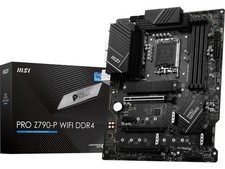
MSI PRO Z790-P WIFI DDR4 LGA 1700 Intel Z790 SATA 6Gb/s DDR4 ATX Motherboard
$163.49

ASUS PRIME Z490-P LGA 1200 Intel Z490 SATA 6Gb/s ATX Intel Motherboard NEW
$121.45

GIGABYTE B365 HD3 LGA1151 Intel 9th Gen motherboard
$59.99

ASRock B550M PRO4 AM4 AMD B550 SATA 6Gb/s Micro ATX AMD Motherboard
$76.49

Intel H81 Motherboard M.2 NVMe LGA 1150 mATX w/ IO Shield (Random Slot Color)
$29.90
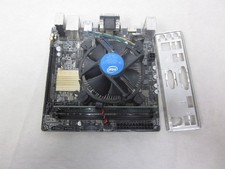
ASUS H110I-PLUS Motherboard LGA1151 w/ I5-7400 CPU, 8GB, Heatsink & I/O Shield
$60.00
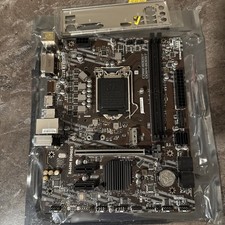
MSI B460m-Bomber LGA 1200 Intel 10th Gen B460 M-ATX Intel Motherboard
$59.99

ASUS PRIME Z490-V Motherboard Intel Z490 10th gen DDR4 LGA 1200 ATX w/ IO Shield
$84.99