-
Senior Member
registered user
7 questions about remastering
1.)If I use the remaster guide in the Doc section how can I boot into my remaster /mnt/hda3/knx/source?
2.)How do I make the mksort script work on my machine? What do I need to change in the script?
3.)If I want to get synaptic to run from chroot environment I need to
#DISPLAY=myip:0.0 (replace my ip with your actual IP)
#export DISPLAY
#synaptic
What ip? My internet ip? Where can I look to find this?
4.)If I am using k3b to burn an iso to a dvd. Are there settings that I need to change from the defaults? Rockridge, Juliette, ignor symlinks, dao? Doa is more like it. I have burned a couple of dvd coasters. The files seem to be correct. it just wont boot. I have burned remastered isos using the same dvds with nero in XP and they will boot.
5.)When using mkisofs to create the KNOPPIX/KNOPPIX file how would I use the –b switch for best compression?
mkisofs -R -U -V "KNOPPIX.net filesystem" -P "KNOPPIX www.knoppix.net" -hide-rr-moved -cache-inodes -no-bak -pad /mnt/hda1/knx/source/KNOPPIX | nice -5 /usr/bin/create_compressed_fs -b > /mnt/hda1/knx/master/KNOPPIX/KNOPPIX
6.)I have been able to install Nvidia drivers on my remaster but when I do Frozen Bubble will not work any more. ( the same things happen if you use the install software to live cd script in 3.4) Any ideas on what could be doing this? I tried editing XF86Config-4.in to comment out "dri" and "GLCore" and burning the iso again didn’t work. I tried the method on this page: http://www.knoppix.net/forum/viewtopic.php?t=10314 but I get to a point when it says that the X server cannot be running but if I try to chroot from the bash prompt I get an error that the directory can not be found. I don’t know if this method will work on a remaster anyway.
7.)How can I edit Fabian’s restart X server menu if I want to be able to restart X with Gnome on my remaster or enlightenment?
-
Senior Member
registered user
1) It should be in the remastering doc. You'll create a special boot floppy to boot your remaster while its still on your hard drive.
2) Don't know
3) You'll need to copy the /etc/resolv.conf from your non-chrooted environment into your remaster to get internet connectivity. You'll also have to mount proc in your chroot env. and do an apt-get update.
If you originally booted from the CD in text mode (knoppix 2), then it is very easy to startx from your chroot env. and then launch any apps normally from there. You'd just need to:
cp -R /etc/skel /home/knoppix
chown -R knoppix /home/knoppix
vi /home/knoppix/.xinitrc
(this file will be blank. Press "i" to insert text and then add a line-
startkde
to save and exit press the the following keys and hit enter- ":wq" )
Now-
su knoppix
startx
And you will be in your remaster's GUI.
When one, you can rm -rf /home/knoppix or replace /etc/skel with it (if you made configuration changes to the GUI) and then chown -R root /etc/skel (if you chose to replace the old /etc/skel).
4) Don't know. Should burn an iso to DVD just as it would a CD, I'd think.
5) I wouldn't worry about -b. If you want to clear space, tetex packages arenm't very useful unless you8r' a developer and they're pretty large. kdei18n language packages can also be removed. There are extra editors and browsers you could do away with too.
Always remember to
apt-get clean
to delete downloaded packages.
6) I avoid 3d drivers like a plague.
7) Find out what his script is called (you can find it by doing a kmenuedit and looking for the execute line). Edit that script as needed, looking at how it's written in order to get a feel for the syntax for new lines.
-
Senior Member
registered user
thanks for you responce arkaine23.
As far as starting X while chrooted in my remaster,
I followed your steps to the letter. I got the following errors:
[EE] Unable to locate/open config file
[EE] Error from xf86handleConfigFile
X10: fatal 10 error 104 (connection reset by peer) on server ":0.0"
after 0 requests (0 known processed) with 0 remaining
What am I doing wrong?
-
Senior Member
registered user
Looks like I forgot to tell you you also need to copy the /etc/X11/XF86Config-4 file from outside the chroot into the chrooted system's /etc/X11. This is the config file for the video card, monitor, mouse, and keyboard (for the X windows system), so booted from knoppix, you have one that was already generated, but in your remaster you do not have this file.
cp /etc/X11/XF86Config-4 /your/remaster's/etc/X11
Make sure to do that from a terminal where you are not chrooted.
Similar Threads
-
By Trace Green in forum Customising & Remastering
Replies: 2
Last Post: 05-14-2005, 04:36 AM
-
By nick.carstensen in forum Customising & Remastering
Replies: 4
Last Post: 12-22-2004, 01:58 PM
-
By DeadCreep666 in forum Customising & Remastering
Replies: 1
Last Post: 08-09-2004, 12:28 PM
-
By Gamito in forum Customising & Remastering
Replies: 0
Last Post: 12-15-2003, 05:33 PM
-
By TDSK in forum Customising & Remastering
Replies: 1
Last Post: 05-27-2003, 08:43 PM
 Posting Permissions
- You may not post new threads
- You may not post replies
- You may not post attachments
- You may not edit your posts
-
Forum Rules

Atari 400 Vintage Home Computer System w/ Original Box MPN Atari 400
$175.00
ATARI 800 XL 8-Bit Computer w/ Power Supply
$169.00

DEFECTIVE Atari 810 Vintage Computer Disk Drive powers on Unit Only Boo G3D
$55.24
Vintage Atari 1200XL Home Computer System - NO Power Supply - UNTESTED
$224.98

Fujinet 1.7.1 Atari 400 800 800XL 130XE 65XE XEGS Assembled, Tested, Working
$99.99
Atari 130XE Personal Computer Desktop w original box/cable/manual
$350.00
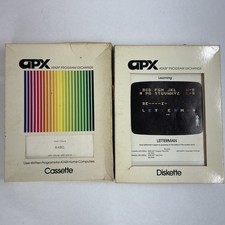
Atari 400 APX Program Exchange Joel Gluck Babel Cassette and Letterman Diskette
$50.00
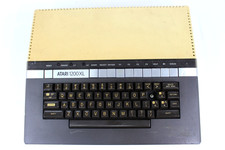
VTG Atari 1200XL Home Computer System 1200 XL ** Tested ** Parts or Repair
$248.75

Atari 400 Computer System console with Power Supply TESTED and Working
$160.00
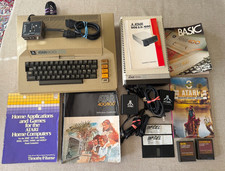
Vintage Atari 800 Computer + 1050 Disk Drive Manuals Games Software Cables Power
$449.00



 Reply With Quote