-
Please can you help.
Hi, im new to Knoppix and i would like to install the Knoppix 3.3 distro from the CD. Its does say on the front cover that this is possible but it does not tell you how to do it. I seem only to be able to boot the system from the CD. Can anyone tell me how to do this. Thankyou.
Regards. Bobby.
-
Open a console (click the icon with the monitor and the shell or press Control-Alt-2 to get to a text console)
type 'knx-install'. this is from memory, so the syntax might be different.
In Linux you get a great feature: if you press 'tab' the command will auto-complete. So if I've given you the wrong command, type 'knx', press 'tab' and a list of available commands will appear. Neat, eh?
You might have to type 'sudo knx-install', I can't remember.
The 'sudo' hoiks you up to super user status which may be needed to carry out a hard drive install.
If I've missed anything out, I'm sure enough guys will put me right.
Oh, yeah: you can always use the 'Search' link (between the 'FAQ' link and the 'Profile' link, top left on this page) The likelyhood is that someone else has already had the problems you are having and a quick search might lead you to the solution.
Stay cool.
-
Senior Member
registered user
This link should do it (from the Docs section at the top of this page!)
http://www.knoppix.net/docs/index.php/HdInstallHowTo
-
Thankyou very much chaps, i will be having a go at the installation later.
Regards. Bobby.
-
I have found that my hard drive is divided into two drives, i have a C drive and a D drive. There dosent seem to be anything on the D drive so would it be possible to load the Knoppix 3.3 from the Live CD distro that i have to the D drive without interfering with Windows that i have on the C drive. Is this what is meant by a partition. Regards. Bobby.
-
Senior Member
registered user
Even though you already have two partitions, you should make two more so you will end up with:
Partition1: Windows operating system-size as needed by Win
Partition2: Linux operating system-Minimum about 3Gig, better to be 4 or 5G. Format 'Linux ext3' (not ext2)
Partition3: Linux swap file (not absolutely necessary but will make Linux run better)-about 0.5 to 1 Gig but can be smaller if you are tight for space)
Partition4: Data-it's always a good idea to have your data on a separate partiton from your operation system. Saves your data in case of a crash. Windows consistently breaks this recommendation by defaulting all your data to 'My Documents' folder in the same drive as the O/S. Without this partiton any data which is to be accessible to both Windows & Linux has to be put on the Windows drive as Win cannot see the Linux partition. Format this drive FAT32 type & the data can be shared by both Linux and Windows. Use all the remaining space for this partition.
-
Do i load the Grub Bootloader to the computer before i install the Knoppix O/S. The instructions i intend to use are as follows, i hope they are right for the CD i have. Regards. Bobby.
Introduction.
Full GNU/Linux Desktop installed in 20 minutes flat!
No more excuses for running W--dows!
Knoppix is a remarkable Linux 'demo' distribution, in that it can run totally from a CD, without disturbing any existing software or disks on the system it's running on.
Even better, Knoppix can auto-detect hardware as it starts up, and does quite a good job of configuring this hardware.
And still better, Knoppix is chock-full of the best desktop software which GNU/Linux has to offer - office software, games, productivity suites, software development tools, multimedia - you name it!
After seeing a Knoppix demo, many users decide that they'd like to have Knoppix permanently installed on their system. This HOWTO gives a simple step-by-step guide to putting Knoppix on the hard disk, with the added bonus that it will run faster from then on.
This guide covers a couple of obvious points which are strangely missing from the Knoppix website, and will help you to go from first boot to a fully set up GNU/Linux desktop in 20 minutes flat!
System Requirements
To install and run Knoppix on your PC, you'll need:
Pentium-class processor, preferably 300MHz+
64MB RAM
A spare partition on your disk, min 3GB
(of course) a Knoppix CD
Installation Procedure
To get Knoppix installed onto your hard drive:
Boot the Knoppix CD.
When the boot prompt comes up, choose your language.
Most of us speak English, so we'll type:
boot: knoppix lang=en
then press ENTER (you don't type the 'boot:' part, of course)
Wait till the system is fully launched, including the KDE desktop
Press CTRL-ALT-F1, to get a root console. You should see a shell prompt
Type: knx-hdinstall
Follow the guided installation menus. This will include:
Creating a Linux partition (at least 2.5GB
Creating a Linux Swap partition (at least 256MB)
'Mounting' the Linux partition as root
Initialising the swap partition
Copying all the required files (automatically)
Setting up networking
Setting passwords
Setting up the bootloader (Note: take care with this stage - it could render your system incapable of booting into Windows. If you really need Windows, then it might be a good idea to set up GRUB Bootloader with a 'chainloader' entry, so that you can dual boot. Working this out is an exercise left to the reader - there are too many possible scenarios for me to cover in this short guide. Also see man grub and the files in /usr/share/doc/grub)
Rebooting (without the CD)
When you've rebooted Knoppix from your hard disk, click on the KDE Control Centre icon in the launcher at the bottom of the screen (icon of a colour monitor with a card in front of it)
Within the Control Center, click on Personliche Einstellungen
Click on Land und Sprache
Choose the locale and language of your choice
Click on Andwenden at bottom of that window
Close and restart the Control Center
Click on Peripherals, then Keyboard, and choose your preferred keyboard layout (which will probably be US.English. Click OK and close the window
Press CTRL-ALT-F2 to get to the root console, and log in as root (using the password you chose when you ran the installer)
(Optional) - type apt-get update (followed by ENTER). This will update your list of available packages, and takes about 5-10 minutes.
Hey, presto, you've got a fully installed GNU/Linux desktop.
-
Senior Member
registered user

Originally Posted by
tycapel7
Do i load the Grub Bootloader to the computer before i install the Knoppix O/S.
I don't think this should be necessary. Personally I use the lilo bootloader & let it install as part of the install process. Choose 'Install on the MBR' option when you come to it.
The instructions i intend to use are as follows, i hope they are right for the CD i have.
There are a couple of changes starting with version 3.3:
This part is OK:
When the boot prompt comes up, choose your language.
Most of us speak English, so we'll type:
boot: knoppix lang=en
then press ENTER (you don't type the 'boot:' part, of course)
Wait till the system is fully launched, including the KDE desktop
Press CTRL-ALT-F1, to get a root console. You should see a shell prompt
>>Type: knx-hdinstall
You would actually have to type : sudo knx-hdinstall
but Knoppix 3.3 has a new improved install script
The new command is : sudo knoppix-installer
this is OK
Follow the guided installation menus. This will include:
Creating a Linux partition (at least 2.5GB
Creating a Linux Swap partition (at least 256MB)
'Mounting' the Linux partition as root
Initialising the swap partition
Copying all the required files (automatically)
Setting up networking
Setting passwords
>>Setting up the bootloader (Note: take care with this stage - it could render your system incapable of booting into Windows. If you really need Windows, then it might be a good idea to set up GRUB Bootloader with a 'chainloader' entry, so that you can dual boot. Working this out is an exercise left to the reader - there are too many possible scenarios for me to cover in this short guide. Also see man grub and the files in /usr/share/doc/grub)
As mentioned, I would just let the Lilo bootloader install as part of the install process.
Then reboot. You are now installed on HD. The rest is just setting up & personalizing your system. (Some stuff may still start in German.)
 Posting Permissions
- You may not post new threads
- You may not post replies
- You may not post attachments
- You may not edit your posts
-
Forum Rules

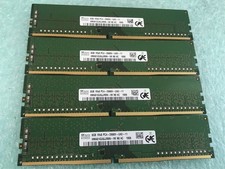
SK hynix 32GB(4 x 8GB) HMA81GU6JJR8N-VK PC4-2666V DDR4 Desktop RAM - CR337A
$89.95
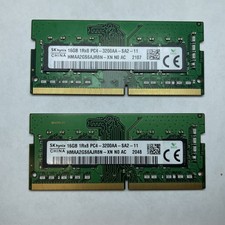
Lot of 2 SK Hynix HMAA2GS6AJR8N-XN 16GB DDR4 PC4-3200AA 1Rx8 Laptop SODIMM RAM
$354.99

16GB (2x8GB) Kingston HyperX blu KHX1600C10D3B1/8G PC3-12800U DDR3 1600
$27.99

NEW Kingston 8GB DDR4 2666MHz Desktop RAM KCP426NS8/8 PC4-21300
$30.00

DDR4 Laptop RAM 4GB 8GB 16GB 32GB 2400 2666 3200 Samsung Hynix
$66.00

Samsung W03J0009150379F87A 64GB (2x32GB) RAM DDR4 2400MHz CRC0Y
$179.99

A-Tech 8GB DDR3 1600 PC3-12800 Laptop SODIMM 204-Pin Memory RAM PC3L DDR3L 1x 8G
$21.68
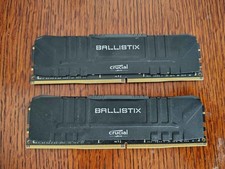
Crucial Ballistix 32GB (2x16GB) DDR4 3200MHz CL16 Desktop RAM BL16G32C16U4B.16FE
$149.99
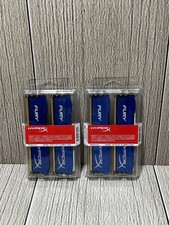
Lot of 2 Kingston Fury 8GB (4x4GB) HX316C10FK2/8 DDR3-1600MHz Ram
$50.35
16GB (2x8GB) Samsung DDR4-2133MHz PC4-2133P Desktop RAM 2Rx8 UDIMM
$54.99



 Reply With Quote