

 Reply With Quote
I tried to reinstall,
when I boot from the CD all is English,
but after the HD install apt-get, fsck, etc is German???
Anyway to change the lang of console programs?


Installed 3.4 to the HD using sudo knoppix-installer,
after booting with knoppix lang=us from a EN iso.
Most of the install is English, kde menu etc, but apt-get is German and when it checked the HD during boot it was German as well, so is the desktop background.
Any suggestions?
I tried to reinstall,
when I boot from the CD all is English,
but after the HD install apt-get, fsck, etc is German???
Anyway to change the lang of console programs?
Found this from some time back, it worked.
The fix is easy as root edit (or if necessary make) the /etc/sysconfig/i18n file and use your country's info, here is my US-english file:
LANG="en_US"
COUNTRY="US"
LANGUAGE="en"
CHARSET="iso8859-1"
XMODIFIERS=""
Rebooted and all is German again...
The reboot seems to be rewriting the files in /etc/sysconfig .Files like knoppix, i18n all have DE references again.
Anyone?
edit /etc/lilo.conf
add a new ´cheatcode´
append= "lang=us
run
lilo -v
Thanks Oscar!
I boot from floppy, how can I recreate the boot flooppy with the new lilo info?
just put a floppy in the drive an do lilo -M /dev/floppy
if things do not work out post your lilo.conf here.
my guess is that lilo already is pointing to the floppy.
the boot= part is where t lilo is to be installed, on the simulated lilo.conf above that is floppy.# LILO configuration file
# Start LILO global section
something
somethingelse
somethingelseagain
boot = /dev/fd0
things
morethings...
from man lilo.conf
Code:boot=<boot-device> Sets the name of the device (e.g. a hard disk par- tition) that contains the boot sector. If this key- word is omitted, the boot sector is read from (and possibly written to) the device that is currently mounted as root. A raid installation is initiated by specifying a RAID1 device as the boot device; e.g., "boot=/dev/md0". Note that LILO version 22.0 and later operate differently from earlier versions with respect to the actual location of the boot records.
Hi,
I have same problem - english GUI and german terminal!
The alteration to lilo looks interesting but I am booting via the DOS program 'loadlin'. For example, to boot knoppix I use:
loadlin vmlinuz root=/dev/hda6 ro
I don't think that 'boot' codes can be passed via 'loadlin' - but I could well be wrong!
Is there a way to change the terminal language in the configuration files?
Regards,
OK, so I am an idiot!
A quick google search gave the answer - on a knoppix.net forum! Weird though, although google found it here, the forum's search facility did not.
Anyway, in case another loadlin user is reading, the answer to my question (and a whole lot more) can be found here: http://www.knoppix.net/forum/viewtopic.php?p=22512
Bye for now!
 Posting Permissions


USB 3.0 Flash Drive 32GB 64GB 128GB Memory Stick Thumb Stick Lot Pack
$826.09

TF/SD Card Adapter Camera Reader Android Type-c For iPhone17 Pro Max Plusm lot
$573.98
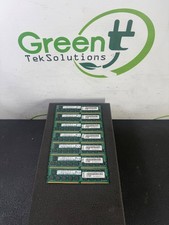
Lot of 7 SK hynix 16GB DDR4-2400 ECC RDIMM HMA42GR7AFR4N-UH Lenovo 112GB
$369.99

64GB DDR5 Registered ECC Server Memory PC5-38400R 1x64GB SK Hynix
$2699.00

Kingston 32GB 64GB 128GB 256GB USB 3.0 Flash Drive Thumb Memory Stick Pen lot
$285.90

USB 3.0 Micro SD SDHC TF Card Reader Memory Adapter for PC Laptop Camera lot
$3.75

Intel Optane NMA1XXD128GPS DDR4 2666 4Rx4 ECC 128GB Server Ram
$80.00

Sandisk 16GB 32GB 64GB 128GB Cruzer Blade Flash Drive Memory Stick USB Lot Pack
$88.90

SK hynix 16GB DDR4 288-Pin DIMM PC4-2133P ECC Registered RAM HMA42GR7MFR4N-TF
$50.00
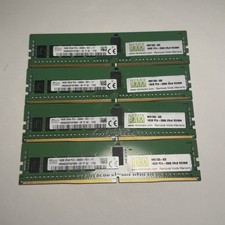
Lot of 4 16GB SK Hynix HMA82GR7AFR8N-VK 2RX8 DDR4 PC4-2666V RDIMM Server Memory
$374.99