-
Junior Member
registered user

Originally Posted by
PROhan
click on the big K> then go to multimedia > Xine
Im pretty sure that should play DVDs
this is one of thos ethings that you could have googled really easily and i dont want to sound mean or discouraging, but just look it up next time if you can

I appreciate your kindness. That was the first thing I tried. I guess I should have been more specific. The error I get is a popup window with the following:
(Error reading NAV packet)
The name of the DVD movie does show up in the player.
The xine site says:
To get DVD playback working, first make sure you have a symlink /dev/dvd pointing to your DVD device on your system. For example, if your DVD drive is the master ide drive on the second IDE channel, /dev/dvd should point to /dev/hdc.
Unfortunately, I have no idea how to do this. Or if this will fix my problem. The error that I get is not listed on their FAQ.
Thanks!
Similar Threads
-
By jon1234444 in forum General Support
Replies: 0
Last Post: 01-20-2005, 08:14 AM
-
By needhelpNOW in forum General Support
Replies: 8
Last Post: 10-29-2004, 07:27 PM
-
By jjman123 in forum General Support
Replies: 1
Last Post: 10-12-2004, 01:45 AM
-
By brianfay in forum Hdd Install / Debian / Apt
Replies: 2
Last Post: 06-02-2004, 12:42 PM
-
By Gregwithoneg in forum General Support
Replies: 6
Last Post: 05-22-2003, 01:41 PM
 Posting Permissions
- You may not post new threads
- You may not post replies
- You may not post attachments
- You may not edit your posts
-
Forum Rules


Lenovo ThinkStation P520 Intel Xeon W-2123 3.6GHz 900W - NO RAM/ GPU/ HDD/ OS
$189.98

Dell EMC PowerEdge R440 Xeon silver 4215 2.5GHz 16 GB ram 2x 550W PSU No HDD
$275.00
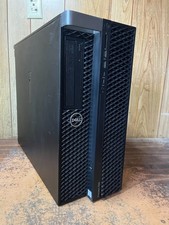
Dell Precision 7820 Win 11 Gaming Computer Xeon Silver 4112 16GB GTX 1080
$320.00

Intel Xeon E5-2697 V2 LGA2011 Server CPU Processor 2.7GHz 12 Core SR19H 130W
$35.00

Intel Xeon E5-2699 V4 2.20GHz 55M 22-CORES LGA2011-3 Server Processor 145W SR2JS
$84.49

Intel Xeon E5-2690v2 SR1A5 10-Core 3.00GHz 25MB 130W LGA2011 CPU *km
$11.99

Intel Xeon W-2255 SRGV8 3.7GHz 10-Core LGA2066 Server CPU Processor
$199.99

Dell Precision T5820 950W Workstation 4.00GHz W-2125 No RAM/ GPU/ HDD/ OS
$144.98
Dell Precision 7820 Win 11 Gaming Computer Xeon Silver 4112 32GB GTX 1080
$350.00
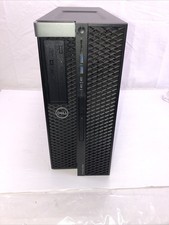
Dell Precision 5820 Xeon w-2235 3.8 Ghz 16 Ram No HDD/OS - Working
$199.95



 Reply With Quote