

 Reply With Quote
On the "front screen" right click the partition and go to properties and selecete to read and right or whatever(im not on Knoppix right now)


i tried instal ing knoppix with the knx2hd thing, it loaded, but when i selected my HD, it said "read only, knoppix cannot continue"
On the "front screen" right click the partition and go to properties and selecete to read and right or whatever(im not on Knoppix right now)
front screen?
o yeah, its a brand new HD, and theres no partition on it
Then you first need to partition with for example QTParted... Or as from i heard, also the partition option in the knx2hd menu...
 Posting Permissions


(New) AMD Ryzen 7 5700X 8 Core 16 Thread AM4 Unlocked 3.4 GHz CPU OEM Tray
$174.99

OPNsense Firewall 8-Core Atom C3758 4GB DDR4 RAM 64GB SSD 8x 1Gbe QAT AES-NI VPN
$95.00
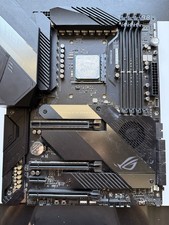
AMD Ryzen 7 5800X3D CPU W/ ASUS ROG Crosshair VIII Hero Motherboard
$525.00
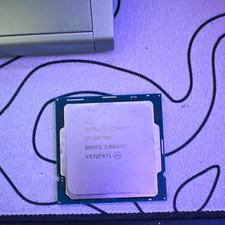
Intel Core i7-10700K 8-Core 3.80GHz LGA1200 CPU SRH72 i7-10700K
$75.00
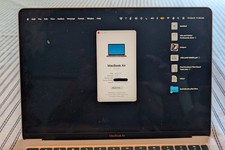
MacBook Air 13" Apple M1 8-core - 8-core GPU • 512 GB • RAM 8GB Very Good Cond
$450.00
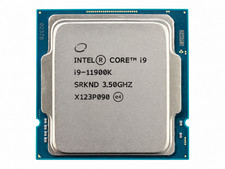
Intel Core i9-11900K 3.5GHz 8-Core 16-Thread LGA1200 Desktop CPU Processor(3536)
$249.99
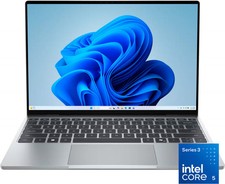
Dell - XPS 13.4" 3K Touchscreen Laptop - Intel Core 5 Series 3 320 2026 - 8GB...
$599.99
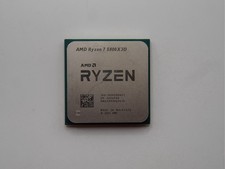
AMD Ryzen 7 5800X3D 8-Core 3.4GHz Socket AM4 CPU Processor….
$309.99
Lenovo ThinkSmart Hub 500 10V50000US All-in-One i5 8GB 128GB Win10 NEW SEALED
$259.00
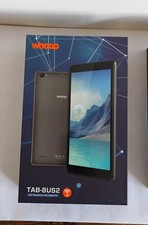
WHOOP TAB-8US2 8" Quad Core, 4G, 32 GB SSD, 3 GB RAM, Tablet PC W/Cover Bundle
$59.95