

 Reply With Quote
On the "front screen" right click the partition and go to properties and selecete to read and right or whatever(im not on Knoppix right now)


i tried instal ing knoppix with the knx2hd thing, it loaded, but when i selected my HD, it said "read only, knoppix cannot continue"
On the "front screen" right click the partition and go to properties and selecete to read and right or whatever(im not on Knoppix right now)
front screen?
o yeah, its a brand new HD, and theres no partition on it
Then you first need to partition with for example QTParted... Or as from i heard, also the partition option in the knx2hd menu...
 Posting Permissions

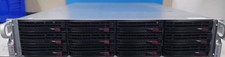
Supermicro CSE-826 2U Server Chassis W/X10DRH-C 2x E5-2620 V3 128GB RAM 2x 1280W
$499.99

DELL POWEREDGE R340 Server | Xeon E-2126G 64GB RAM PERC H330 (Onboard)
$399.95

Dell EMC PowerEdge R440 Xeon silver 4215 2.5GHz 16 GB ram 2x 550W PSU No HDD
$275.00

VMware vCenter Server 8 STANDARD Perpetual License Key VC-STD-C (Legacy Pack)
$1599.95

Dell PowerEdge C4130 1U AI GPU Server | 2x E5-2680 v3 | 32gb Ram | 2x 1600W
$484.99

HP ProLiant DL380 Gen9 Dual Xeon E5-2643 V3 128GB RAM P840/4GB 2x 1400W No HDD
$549.99

Dell EMC PowerEdge R740 8 Bay Server w/ 32GB RAM 2x GOLD 6132 2x 1600W PSU H730p
$499.88

Dell Poweredge R730xd 12LFF 2*2660v4 4*1Gbe h730 2x 750W Server CTO
$308.00

Dell EMC VxRail E560F 10-SFF 2*Gold 6230R 2.1GHz No RAM HBA330 iDrac Ent Server
$349.99

Broadcom 9600-24i Tri-Mode RAID Controller 4.0 NVMe SAS SATA NEW 05-50111-01003
$639.69