-
Senior Member
registered user
internet won't work - possible fix
I was just searching the forums when I came across a post from mister Klaus Knopper himself. I haven't had a chance to try it yet but hopefully this will help alot of people who are using DHCP to get their internet back up after a hdd install.
The harddisk-installed system is a "normal" Debian. You have to add the
lines
auto eth0
iface eth0 inet dynamic dhcp
I think this should be in the FAQ (if it was I missed it)
-
Senior Member
registered user
I gave it a try and it works execpt you do not need the "dynamic" in the line ( at least on KnoppixKDE ) it gives you a to many parameters error when you restart the network. Your right I never seen this anywhere in the FAQ when I had this problem luckily I could use my static settings.
-
Junior Member
registered user
AND THAT WOULD BE....
Any chance of letting the rest of us know WHICH file needs to be modified?
Greg
-
Senior Member
registered user
The file is /etc/network/interfaces I added the line iface eth0 inet dhcp and commented out the static settings I already had. To re-start the network /etc/init.d/networking restart.
-
Greg,
it is the following file:
/etc/network/interfaces
ad the this line as the told you before
iface eth0 inet dhcp
and it should work (a searched for hours for this  )
)
-
Senior Member
registered user
What do you mean by "internet doesn't work" ?
I ask because I just installed Knoppix to my hard drive last night.
I can connect to ISP, but I can get to any web sites.......even google.
Is the advice offered in this thread germane to my issue?
While I ran the install script I said no to "dhcp" not understanding what the option was, will this have a bearing on my problem?
I also said "no" to the options of having many servers started as I will be running Knoppix as a desktop and not a server.
Could these choices have anything to do with my "internet problem" ?
Thanks in advance
Steve
-
Senior Member
registered user
Sounds like you don't have a name server in your /etc/resolv.conf file check by opening a console and entering vi /etc/resolv.conf there should be at least one line with nameserver 123.456.789.01 ( whatever the number is for your name server from your ISP ). It wouldn't hurt to check /etc/network/interfaces to make sure your settings are right there also. After you make any changes you will have to re-start the network, to make these changes you will have to be root user.
In answer to your questions no it does not matter that you did not start the servers it asked for in the setup they do not have anything to do with access to the internet. The part that matters is the answers you gave after you declined the dhcp option and if you gave the correct settings for your IP address, gateway, nameserver, etc... , this is what allows you to access the internet.
-
Senior Member
registered user

Originally Posted by
Stephen
Sounds like you don't have a name server in your /etc/resolv.conf file check by opening a console and entering vi /etc/resolv.conf there should be at least one line with nameserver 123.456.789.01 ( whatever the number is for your name server from your ISP ). It wouldn't hurt to check /etc/network/interfaces to make sure your settings are right there also. After you make any changes you will have to re-start the network, to make these changes you will have to be root user.
In answer to your questions no it does not matter that you did not start the servers it asked for in the setup they do not have anything to do with access to the internet. The part that matters is the answers you gave after you declined the dhcp option and if you gave the correct settings for your IP address, gateway, nameserver, etc... , this is what allows you to access the internet.
I got part of the problem fixed.
I made the alterations described in the original post to the thread. I also set up an account in kppp but chose dynamic DNS instead of manual.
I am able to use kppp to connect from the knoppix account.
I would really like to be able to connect from the account I made for myself ( "steve").
I added "steve" to the knoppix group via usermod -G. I then chmoded kppp to 777.
I can bring up kppp as "steve" but for some reason I am not able to select "dyanmic DNS" in the kppp set up when I am logged in as "steve"
Steve
Similar Threads
-
By dylan000 in forum General Support
Replies: 6
Last Post: 09-13-2004, 06:47 PM
-
By Bonzo in forum General Support
Replies: 2
Last Post: 05-22-2004, 01:42 PM
-
By drg55 in forum Hdd Install / Debian / Apt
Replies: 1
Last Post: 11-23-2003, 12:47 PM
-
By Maximus in forum General Support
Replies: 1
Last Post: 06-07-2003, 12:01 AM
-
By reub2000 in forum Customising & Remastering
Replies: 3
Last Post: 06-01-2003, 11:12 PM
 Posting Permissions
- You may not post new threads
- You may not post replies
- You may not post attachments
- You may not edit your posts
-
Forum Rules


Genuine Cisco SFP-10G-SR 0-2415-03 10 Gigabit Transceiver
$5.40

Dell Intel X710-DA2 5N7Y5 Dual-Port 10GbE SFP+ PCIe 3.0 x8 Network Adapter
$27.50

NEW Sealed Cisco SFP-10G-LR 10GBASE-LR SFP+ 1310nm 10km *US Shipping*
$24.00

Cisco Meraki MA-SFP-1GB-SX Network Tranceiver Module
$89.00

SFP TO RJ45 TRANSCEIVER SFP MODULE COPPER SFP OPTICAL PORT TO RJ45 ETHERNET PORT
$7.99

HP 560SFP+ 10GB 2-port PCIe NIC Ethernet ADAPTER 669279-001 w/ (2) 10GB SFP+
$16.99

Lot of 500 Cisco 10-3145-02 QSFP-100G-CWDM4-S 100G CWDM4 QSFP28 Transceiver
$1500.00
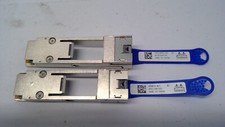
Mellanox 655874-B21 655902-001 QSFP to SFP+ Adapter Kit MAM1Q00A-QSA 00D9678
$13.99
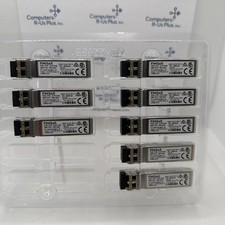
10GbE 10GFC SFP+ LC SW 850nm IBM 78P1661 31P1549 Finisar FTLX8571D3BCL-IK Qty 8
$88.00
Cisco Meraki OEM MA-SFP-1GB-LX10 1000Base-LX 1GbE SFP Module 1310nm 10km SMF LC
$95.00



 Reply With Quote