-
Easy way to fix your cd-dvd drives
Hey guys, seems ppl are still being plagued by the cd rom bug in knoppix 3.4 with the 2.6.* kernel. So here is the quick easy way to fix it.
(depending on your drive layout, you will have to change this a little to suit)
1. Open a root console window, navigate to /dev/
2. Type "rm cdrom, rm cdrom1, rm dvd (depending on your drive layout)
3. Type ln -s scd0 cdrom (link for your cdrom-if it's a dvd, change cdrom to dvd)
4. Do the same for your second drive if you have one
5. Change the cdrom lines in your /etc/fstab(without quotes)to say:
"/dev/cdrom /cdrom iso9660 auto user,noauto,exec,ro 0 0"
(same for cdrom1 and dvd except change the relevant wording, ie "/dev/dvd /dvd" etc, or simply edit and reuse the existing cdrom link if it's nearly right  )
)
6. Now delete the cdrom link from your desktop as it never worked anyway did it?
7. Got to your desktop configuration and check "Show devices on desktop" Check the relevant devices to you, i.e. "Show mounted/unmounted cdrom-cdwriter-dvd"
8. You should now have working links on your desktop for your cd drives.
There you go. This should work. Even though the 2.6.* kernel is supposed to support proper ide/atapi settings for optical drives, I have found personally that it is nigh on impossible to make it work, so these will do till they fix it.
If I have made any typo's that u guru's can see, please make note,as I wouldn't want to lead anyone astray 
Hope this helps!!
Similar Threads
-
By Fabianx in forum Customising & Remastering
Replies: 73
Last Post: 02-16-2008, 10:12 AM
-
By bsoderror in forum General Support
Replies: 3
Last Post: 06-15-2004, 03:09 PM
-
By Xorpid in forum Hdd Install / Debian / Apt
Replies: 2
Last Post: 05-21-2004, 02:37 AM
-
By dhawton in forum Customising & Remastering
Replies: 1
Last Post: 09-02-2003, 09:26 PM
-
By a.lost.soul in forum Customising & Remastering
Replies: 2
Last Post: 01-23-2003, 09:19 PM
 Posting Permissions
- You may not post new threads
- You may not post replies
- You may not post attachments
- You may not edit your posts
-
Forum Rules


(New) AMD Ryzen 7 5700X 8 Core 16 Thread AM4 Unlocked 3.4 GHz CPU OEM Tray
$174.99
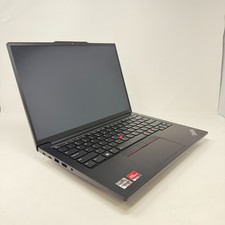
Lenovo Thinkpad E14 Laptop 14" 8GB RAM 256GB SSD Intel Core [email protected]
$149.00
Lenovo ThinkPad T14S Gen 1 8-Core 4750U 1.70 GHz 512 GB SSD 16 GB RAM Win11Pro
$240.00

AMD Ryzen 7 PRO 8700GE 8-Core/16-Thread Up to 5.1GHz AM5 (FL1)
$189.00

AMD Ryzen 7 9850X3D 8-Core 16-Thread 5.6GHz 120W AM5 CPU 100-100001973WOF
$435.99
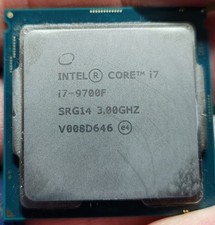
Intel Core i7-9700F Desktop Processor 8 Core 3 GHz speed (Up to 4.7 GHz) LGA1151
$69.00
Microsoft Surface Laptop 5 1951 Core i5-1235U 2.5GHz 8GB RAM 512GB SSD 15"
$450.00
Dell - XPS 13.4" 3K Touchscreen Laptop - Intel Core 5 Series 3 320 2026 - 8GB...
$599.99
Lenovo ThinkCentre M720Q Micro Intel Core i5-8500T 2.1GHz 8GB RAM No AC/HDD/OS
$129.99
Apple Macbook Air 13" M1 8-Core 16GB 256GB READ DESC
$434.99



 Reply With Quote