

 Reply With Quote
The german keyboard is only in X (comand line)...while in KDE, everything is in English and the keyboard is correct. Is there a way to correct this module that boots up with a german keyboard map?
Greg


I did the HD-install of Knoppix Lite, and everything works out great!
My PC is a thinkpad 600, and network, video and sound all work, with some help.
My problem...I want to remove KDE and work from the command line only (until I decide on KDE 3.1 or Gnome). In the command line, My keyboard is the german layout! Many have been replaced by strange symbols or are in a different place!
I noticed that during boot the keyboard layout loaded is something like "de.latin1".
Any clue as to how to get this back to a US style, 102 key KB? Where is this loaded from and what script needs to be edited?
Thankx!
Greg
The german keyboard is only in X (comand line)...while in KDE, everything is in English and the keyboard is correct. Is there a way to correct this module that boots up with a german keyboard map?
Greg
When come to the boot screen, type: 'knoppix lang=us' and see if that fixes it.
Check out this thread:
http://www.knoppix.net/forum/viewtopic.php?t=310
Hope this helps....[/url]
Sorry, I wasn't paying attention that this was a HD install. Follow BlckJck's advice.
 Posting Permissions


Yealink T48S VoIP/SIP Phone, 2 x Gigabit Ports PoE 7" Color SIP-T48S | TESTED
$34.95

Poly CCX 400 Desktop Business Media Phone VoIP 2200-49700-019
$49.99

Grandstream VoIP Phone Adapter ATA 1-Line Black Ethernet (RJ-45) Micro USB
$27.07

SIM Bank 32 SIM Card Slots Ethernet SIM Server for GoIP
$400.00

Yealink SIP-T33G IP Phone 4-LineSpeakerphone VoIP Desk Phone Black w/ Power Sply
$25.00

Grandstream WP810 Portable Cordless Wi-Fi IP Phone
$49.28

Cisco / Linksys SPA2102 VoIP 2FXS Phone Adapter with Router (unlocked)
$18.99

Grandstream HT701 1-Port FXS Analog Telephone Adapter ATA VoIP Gateway -Free S/H
$18.95

Cisco CP-8841 IP Phone Charcoal Handset And Stand Included
$27.99
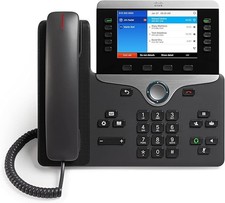
Cisco CP-8841 IP Phone - Charcoal
$98.95