

 Reply With Quote
I want to know where the Kmenu data is stored too, but maybe (if it's just for 1 remaster) you could use a "burned-in" knoppix.sh ?


I'm trying to alter the KDE Application menu as part of a remastering project. While I have had a bit of success in using kmenuedit to make changes, not all my updates seem to take effect.
Case in point - Games. I set the "Games" object to "hidden", saved the changes and copied the whole /home/knoppix/.kde structure to /skel/.kde
Lo and behold, when I remastered the image and booted it, the Games object is still there...
Other changes I made - such as modifying titles of other applications, or changing their classifications - worked fine.
What are and where are the configuration files for KDE and its related components? Can I modify or delete these to get the menus set up the way I want them? Or is there another way to effectively modify the Application menu?
I want to know where the Kmenu data is stored too, but maybe (if it's just for 1 remaster) you could use a "burned-in" knoppix.sh ?
 Posting Permissions

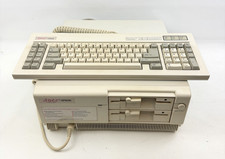
Vintage Epson Apex Plus AP3001A Dual 360K Disk Drives PC w/ Epson Apex Keyboard
$249.95
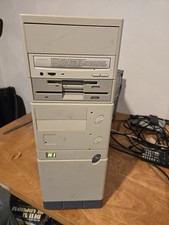
Vintage Retro Cyrix 6x86 133mhz 32mb RAM Floppy Combo
$299.00
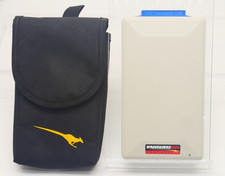
Vintage KanguruDisk Portable External Drive Module with Pouch - Rare Retro Drive
$114.88

Ast Advantage Adventure 4050D Vintage Retro Computer Great Condition
$199.99
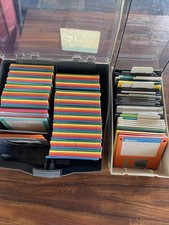
Vintage 3.5” Floppy Disk Storage Cases With Key 127 Rainbow Colored Disks
$59.99

Original Vintage Old Style STANDARD Black CD Jewel Case (Heavy Duty) 90g Lot
$316.95
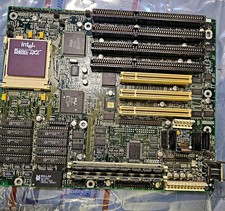
Vintage Intel 486 Motherboard Socket3-i486 DX2-66 CPU & Maxed L2 Cache(W24257AK)
$124.99
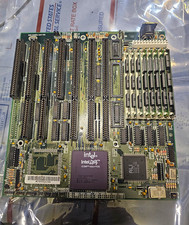
Vintage Intel DX4 100MHz 486 Motherboard SBC CPU Board ALi Chipset Retro PC
$119.99

Vintage HP 21MX 1000 M-Series Minicomputer Chassis Backplane Parts AS-IS
$228.19
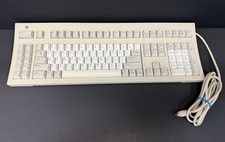
Vintage Sun Microsystems Type 5 Keyboard N860-8701-T010 Tested Working
$55.55