

 Reply With Quote
I want to know where the Kmenu data is stored too, but maybe (if it's just for 1 remaster) you could use a "burned-in" knoppix.sh ?


I'm trying to alter the KDE Application menu as part of a remastering project. While I have had a bit of success in using kmenuedit to make changes, not all my updates seem to take effect.
Case in point - Games. I set the "Games" object to "hidden", saved the changes and copied the whole /home/knoppix/.kde structure to /skel/.kde
Lo and behold, when I remastered the image and booted it, the Games object is still there...
Other changes I made - such as modifying titles of other applications, or changing their classifications - worked fine.
What are and where are the configuration files for KDE and its related components? Can I modify or delete these to get the menus set up the way I want them? Or is there another way to effectively modify the Application menu?
I want to know where the Kmenu data is stored too, but maybe (if it's just for 1 remaster) you could use a "burned-in" knoppix.sh ?
 Posting Permissions

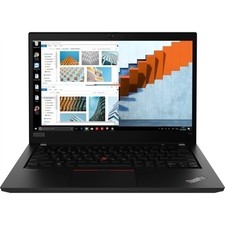
Lenovo Thinkpad T14 Gen 1 14" 16GB 512GB, BLACK
$218.99

Lenovo ThinkPad E14 Gen 3 Laptop 14” FHD AMD Ryzen 5 16GB RAM 512GB SSD Win 11
$374.99

Lenovo Thinkpad E15 Gen 2 8GB RAM 256GB SSD Intel Core [email protected] Laptop
$220.36

Lenovo ThinkPad L15 Gen 3 15.6" 16GB, Thunder Black
$241.50

Lenovo ThinkPad T14 Gen 1 14" AMD Ryzen 5 16GB 256GB SSD
$219.99

Lenovo Legion 5 Gaming 15.1" WQXGA OLED 165Hz Core i9-14900HX 16GB 1TB RTX 5070
$1469.00

Lenovo ThinkPad T14 G2 14-Inch AMD Ryzen R5 5650U 16GB, 512GB SSD Win 11 Pro
$398.99
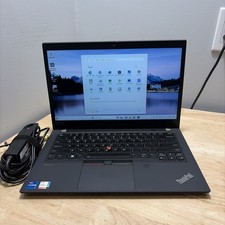
LENOVO THINKPAD T14 GEN 2i CORE I7-11165G7 2.8GHZ 16GB 256 SSD WCAM WI1 CORD
$245.00

Lenovo Thinkpad X1 Yoga Gen 6 14" 16GB, Storm Gray
$356.80

Lenovo ThinkPad T14s Laptop 14” Laptop Core i5 8GB RAM 256GB SSD Windows 11 Pro
$249.99