

 Reply With Quote
Hi;
Turn off ddc;
Rem all ModeLine lines under section monitor;


I have installed Knoppix 3.4 using "Beginner style with hardware autodetection".
How can I make screen sizes higher than 1024x768 available for me when using X environment?
The problem is not as simple as it may seem
I manually edited XF86Config-4 (by adding for example 1280x1024 mode) but now I cannot start X at all. It MAY conflict with the built-in autodetection and the later detects 1024x768 as a maximum (at the boot it says: "using modes 1024x768 800x600 640x480").
I have Philips Brillance monitor (1600x1200 @75Hz) and Matrox G400 MAX video card.
Hi;
Turn off ddc;
Rem all ModeLine lines under section monitor;
 Posting Permissions


Dell PowerEdge R640 1U 8SFF Server Barebones 2x Gold 5120 64GB H330 2x 750w
$238.88

VMware vCenter Server 8 STANDARD Perpetual License Key VC-STD-C (Legacy Pack)
$1599.95

DELL POWEREDGE R340 Server | Xeon E-2126G 64GB RAM PERC H330 (Onboard)
$399.95

Dell EMC PowerEdge R440 Xeon silver 4215 2.5GHz 16 GB ram 2x 550W PSU No HDD
$275.00

Dell PowerEdge C4130 1U AI GPU Server | 2x E5-2680 v3 | 32gb Ram | 2x 1600W
$484.99

Dell EMC PowerEdge R740 8 Bay Server w/ 32GB RAM 2x GOLD 6132 2x 1600W PSU H730p
$499.88

Dell Poweredge R630 2x Xeon E5-2680 v3 2.5ghz 24-Cores / 64gb / Raid / 2x 1Tb
$374.99
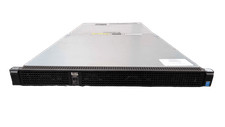
Dell PowerEdge C4130 1U AI Barebone CTO GPU Server 2x Heatsinks 2x 1600W PSU
$319.99

MICROSOFT WINDOWS SERVER 2025 RDS 50 CAL NEW Factory Sealed
$136.87

Dell PowerEdge R740xd Dual Intel Silver 4116 @2.1GHz 32GB HBA330 24Bay Server
$525.00