-
Knoppix netboot
Hi there,
I have already set up a netboot capable server. The problem is with a floppy that you need to have the specific driver for your network card on the floppy disk. But I want to make a system that holds all common network drivers, pxegrub can do all that. But therefore I need to load grub from the knoppix cd. And how can i do that ?? Knoppix 3.4 uses the isolinux loader.
How can i load from isolinux the grub loader?
So that then grub can load the appropriate network driver and loads the netboot procedure.

-
Knoppix netboot
exerpts from my install notes, i hope this helps
cykick
Now is the time to get the grub bootloader installed. The reason for this is that grub needs to have the same version on the boot floppy (in this case the Knoppix Live CD will be our boot floppy) that is found on the harddrive in case you ever need an emergency recovery. We will manually copy the files we need from the install directory into the working directory. Then should apt install newer versions of grub in the install directory we don't have to worry because our working grub directory and the grub floppy(in this case the Knoppix Live CD will be our boot floppy) never change. Create a directory for grub. The basic kernel installed is vmlinuz-2.2.20-idepci from the Debian GNU/linux 3.0r2 CD.
~# mkdir /boot/grub/
create a configuration file for grub called menu.lst
~# joe /boot/grub/menu.lst
#
# configure file for the grub bootloader
#
# timeout is 10 seconds
timeout=10
# for booting Debian GNU/linux operating system
title= Debian GNU/linux
root=(hd0,1)
kernel /vmlinuz-2.2.20-idepci root=/dev/hda3
boot
# for booting the Windows XP operating system
title= Windows XP
root=(hd0,0)
makeactive
chainloader=+1
boot
put the Knoppix CD in the CD drive
reboot:
~# /sbin/shutdown -h now
When the KDE desktop comes up, right mouse click on the hda2 icon
mount the hda2 partition
right click on the hda2 icon
click on Actions
change the read/write permissions to writeable
open a terminal window
superuser to root
~# su root
~# whereis grub
~# ls /usr/lib/grub
~# ls /usr/lib/grub/i386-pc/
~# cp /usr/lib/grub/i386-pc/stage1 /mnt/hda2/grub/
~# cp /usr/lib/grub/i386-pc/stage2 /mnt/hda2/grub/
~# cp /usr/lib/grub/i386-pc/e2fs_stage1_5 /mnt/hda2/grub/
~# ls /mnt/hda2/grub/
install grub in the MBR
~# /sbin/grub
this will initiate the grub bootloader and give you a grub prompt
grub >
use the install command to install grub in the Master Boot Record
usage of the install command can be found in the grub manual
http://www.gnu.org/software/grub/manual/grub.html
grub > install=(hd0,1)/grub/stage1 (hd0) (hd0,1)/grub/stage2 0x8000 p
grub > quit
end Knoppix session
reboot by holding down power button for 7 seconds
the grub prompt appear in boot sequence, run the grub setup command
grub > root=(hd0,1)
grub > setup (hd0)
reboot, [Ctrl][Alt][Del] and try out your new grub bootloader. Use the Up and Down Arrow keys to choose the operating system you want to use.
Similar Threads
-
By TDSK in forum General Support
Replies: 4
Last Post: 05-25-2003, 08:09 AM
 Posting Permissions
- You may not post new threads
- You may not post replies
- You may not post attachments
- You may not edit your posts
-
Forum Rules


Lot of 500 Cisco 10-3145-02 QSFP-100G-CWDM4-S 100G CWDM4 QSFP28 Transceiver
$1500.00

Cisco WS-C3650-12X48UR-L 48-Port Stackable Layer 3 8x10G SFP+ Port Switch
$129.99
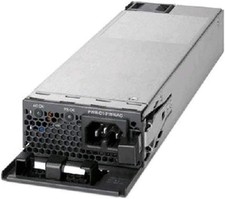
Cisco System P 715w AC 80 Platinum Config 1 Power Supply Spare - PWRC1715WACP
$324.99
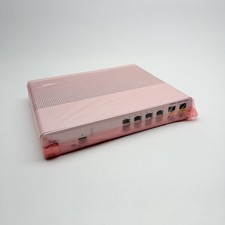
Cisco 8-Port Ethernet Catalyst Switch - WS-C2960C-8TC-L - Brand New
$50.00

Genuine Cisco SFP-10G-SR 0-2415-03 10 Gigabit Transceiver
$5.40

Cisco Nexus N9K-C92160YC-X 48P 25GbE SFP28 6P QSFP+/QSFP28 PE Switch
$439.00

Cisco Catalyst C9120AXI-B Wi-Fi 6 Access Points
$36.00
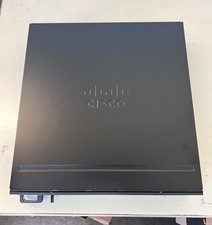
Cisco ISR 4351/K9 4300 Series Rack Enterprise Router 3-Port 1Gbps RJ-45 USB
$250.00
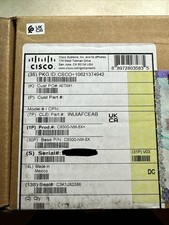
Cisco C9300NM8X Network Switch Module
$649.99

Cisco Catalyst WS-C2960+24TC-S 24-Port Gigabit Managed SFP Switch
$39.99



 Reply With Quote