

 Reply With Quote
I'm pretty sure you have to use Nero to burn the image rather then just copy and pasting it.


Okay I have an old Coastline CM Micro computer. This piece of 5hit is like from 1990. Well I can't boot up knoppix from cd-rom, only from c: drive and a:drive. I d-loaded knoppix and burned it to a c.d. I don't know if I have to use nero to burn it to a c.d I just copied and pasted, then burned. I know you've all answered this question but mine is different. Its on an old a$$ computer. Does anybody know what I can do?
I'm pretty sure you have to use Nero to burn the image rather then just copy and pasting it.
Originally Posted by Jerunk
i do not think knoppix can run on such an old machine.
I have an old machine too . A pentium1 with 34ram
Is it worth it to just install small linux? Cause i need an O.S cause when I start it up it says missing O.S. so i dont know what to do. I dont have like 200 floppys to boot it up from the floppy drive I only have like about 20 floppys. What *nix based system can I actually run in an old computer?
Here's a howto for burning iso's with Nero: http://members.home.nl/lsnoek/iso.htm
I can't say if it's worth while installing a minimalist linux. It depends on what you want from it. Most 1-floppy linuxes seem to be routers/firewalls, and you won't get a nice desktop with lots of goodies unless you have the ram. I'd say 128 MB for KDE but others may argue
If you have 64 MB go with Fluxbox or IceWM.
Here's some distros including floppy based ones: http://www.linuxbasis.com/distributions.html
Debian.And you only need a few flopies to install it. Now realize that this isn't a windows installer but it's also not that hard. Go to debian.org and look at the floppy images for i386. It takes me about 1 1/2 hours to install Debian via floppy on an old Compaq.
go for damn small linux. it has a browser (glinks), few texteditors (vim, emacs), xmms (winamplike), mail (sylpheed)...
more info on their homepage:
http://www.damnsmalllinux.org/
it requires 64M ram for graphical. and 16 for textmode.
here is a interestng thing for you (486 33Mhz with 16 M ram)
http://www.damnsmalllinux.org/486.html
On The Screen Savers, they mentioned Menuet, which is written in assembly language and fits on a floppy. It's not *nix, but it might work for you. http://www.menuetos.org/
JD
I think he should look into using Minix.
tomsrtbt moved to hdd and reconfigured would work. or floppix + new kernel with hdd support...
 Posting Permissions


Intel Xeon E5-2680 V2 2.8GHz 10-Core 25MB 8GT/s SR1A6 LGA2011 B Grade Server CPU
$7.95

NEW HP Z4 G4 Workstation Xeon W-2123 16GB ECC 256GB NVMe NVIDIA T400 750W Win11
$450.00
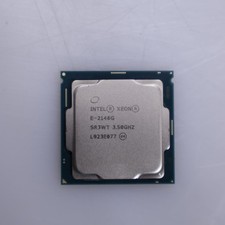
Intel Xeon E-2146G 6-Core 3.5GHz CPU
$85.00

Intel Xeon Phi 5110P 60-Core 1.053GHz Coprocessor
$50.00

Dell Precision T5820 Workstation 3.70GHz W-2135 No RAM/ GPU/ HDD/ OS
$179.98

Lenovo ThinkStation P520c Intel Xeon W-2133 6-Core 3.60GHz -NO RAM/ HDD/ GPU/ OS
$127.54

Dell T7910 Workstation Tower Homelab AI Server PC - Xeon CPU - NO HDD/RAM/GPU
$279.99

Intel Xeon E5-2699 V4 2.20GHz 55M 22-CORES LGA2011-3 Server Processor 145W SR2JS
$84.49

Dell Precision Tower 7810 Xeon E5-2630 v3 @ 2.40GHz , 32GB Ram, NO HDD, NO OS
$239.99

Dell EMC PowerEdge R440 Xeon silver 4215 2.5GHz 16 GB ram 2x 550W PSU No HDD
$275.00