-
Administrator
Site Admin-

Originally Posted by
spartn119
I have no idea how to find local computers or *talk* to my router.
OK, lets get a little more information. What router do you have (brand and model)? Do you have other computers at this location that are wired into the router? If so, are they running Windows (and what version?) This is a home location, right, and not an office, and you do have legitimate reason to access your router, right?
Assuming that were's talking about a normal router intended for home use and hooked to DSL or a cable modem, you access the router with an address like 192.168.0.1. This address can be changed, and it differes for different brands, some brands default to 192.168.0.1 , some to 192.168.1.1 and some default to 192.168.2.1. If you're not sure which and can't find your documentation, check your local IP address on a working computer and use the first three numbers that match the IP address of the computer and a 1 in the last place (hopefully it hasn't been changed to some other number). You mentioned PPPoE, which seems to imply you are on DSL. It also indicates that you or someone should have gone into the router setup at some point and set your user name and password into the router so that it can log you into your DSL account. Don't change these settings if you do go into the router setup.
The menus vary by brand and even model for different routers, but all will let you set up how the router accesses the Internet provider and all will let you enable or disable DHCP. You can run with DHCP disabled, but you have to do a lot more set-up work on each computer. Unless DHCP is disabled for some reason it should be enabled. If someone else set this router up for you and is maintaning your system and if you see that DHCP is disabled, check with them as to why before you enable it.
If you post back a brand and model I might be able to give you more information about the router setup. I have some experience with Linksys, dLink, SMC, Netgear, Nexland, and Belkin (hate the Belkin).
By the way, the router will likely have a login page and need a password and maybe a name before it will let you in. It might default to blank, but it might default to some value given in your router documentation. (This is NOT the same as the user name and password to log into your ISP) And you should change this as a secuity issue when you set up the router, so if the router is loggin in to the ISP, then whoever set up the router may already have changed the login password. Don't use the reset button to reset this unless you are sure you have the account information you need to put back into the ISP login information after a reset
That you don't know about the setup seems somewhat strange if this is your home system. Please advise of your situation. Clearly I don't want to be helping teanagers bypass router rules that their father put into the system. And if a router is reset and changed the owner would likely find out pretty quickly (as any reset will change the router password).
Similar Threads
-
By Wrincle in forum General Support
Replies: 4
Last Post: 12-15-2004, 04:12 AM
-
By Sebastian Mares in forum General Support
Replies: 2
Last Post: 06-28-2004, 12:55 PM
-
By TheOddLinguist in forum General Support
Replies: 12
Last Post: 06-27-2004, 12:36 AM
-
By SpankySTD in forum The Lounge
Replies: 6
Last Post: 06-02-2004, 08:10 PM
-
By mikehallsted in forum General Support
Replies: 1
Last Post: 07-15-2003, 03:55 AM
 Posting Permissions
- You may not post new threads
- You may not post replies
- You may not post attachments
- You may not edit your posts
-
Forum Rules


NETGEAR 5-Port Gigabit Ethernet Unmanaged Switch (Gs305) - Desktop Quiet Fanless
$16.41

NETGEAR GS308EP Essential Series 8-Port Gigabit PoE+ Unmanaged Switch
$49.99

Cisco WS-C3650-12X48UR-L 48-Port Stackable Layer 3 8x10G SFP+ Port Switch
$129.99

5Ports Gigabit Network Switch w/ 4 PoE+ Ports Total 52W each port 30W Plug&Play
$31.99

TP-Link TL-SG105 5-Port Gigabit Ethernet Unmanaged Metal Desktop Network Switch
$19.99

5 Port Gigabit Unmanaged Ethernet Switch, Home Network Hub, Office Ethernet S...
$9.64

10-Port Gigabit PoE Network Switch with 8 PoE+ Ports with 2 Combo SFP Slots 125W
$39.99

TP-Link TL-SG105, 5 Port Gigabit Unmanaged Ethernet Switch, Network Hub, Ethern
$15.25

Linksys LGS328MPC 24-Port Managed Gigabit PoE+ Switch with 4 10G SFP+ Uplinks
$219.95
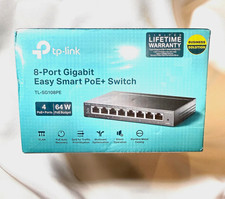
TP-LINK TL-SG108PE 8-Port Gigabit Easy Smart Managed PoE+ Switch 4-Port 64W
$24.99



 Reply With Quote