-
Using a floppy to boot the CD - Please Help
hi, i have a fairly old comp with no boot from cd option in the bios, only supports booting from HDD or floppy.
Is there any way i can use a floppy to boot then load and run knoppix from the cd?
a link to the bood floppy image or similar would be greatly appreciated.
Thanks
PS: am new to linux so please give me an "idiots guide" if anything relativly complex or requiring specific knolage is involved.
-
Re: Using a floppy to boot the CD - Please Help
[quote="Total ImmortalIs there any way i can use a floppy to boot then load and run knoppix from the cd?
~~~~~~~~~~~~~~~~~~~~~~~~~~~~~~~~~~~~~~~~~
Go to [url]http://bootcd.narod.ru/[/url] and get the Bootable CD Loader . It allows older machines to boot to the CD ROM, works in 'most' cases.
-
boot cd from floppy
just make a boot floppy with boot.img or boot-fd.img from the cd istself
boot with both floppy and cd in drives.
it will automatically recognise the cd
-
Senior Member
registered user
I like Smart Boot Manager for just this situation. Instead of making a floppy that only boots one specific cd you can make a floppy that boots any cd
http://btmgr.sourceforge.net/
-
Problem solved, used floppy image Rootman recomened and works a treat, works with all bootable cds i tryed sofar.
Thanks all.
-
Senior Member
registered user
Can this bootfloppy be modified to specify a particular boot cheatcode? For example, could I tell it to automatically use the cheatcode knoppix26 home=scan, so that all I have to do is put in the floppy and CD and reboot to get the 2.6 kernel and my persistent home?
And could I do this to a USB thumbdrive as well (assuming that USB is bootable in BIOS)?
TIA
JD
-

Originally Posted by
j.drake
Can this bootfloppy be modified to specify a particular boot cheatcode? For example, could I tell it to automatically use the cheatcode knoppix26 home=scan, so that all I have to do is put in the floppy and CD and reboot to get the 2.6 kernel and my persistent home?
And could I do this to a USB thumbdrive as well (assuming that USB is bootable in BIOS)?
TIA
JD
I don't think you can... it seems to simply load a cd-rom driver then look for the boot sector on the cd, however, i am no expert on such things and i'm sure it is possable with a diffrent boot floppy from the one i used.
Similar Threads
-
By niceguy167 in forum Hardware & Booting
Replies: 4
Last Post: 10-30-2004, 05:06 AM
-
By Buck1 in forum Hardware & Booting
Replies: 1
Last Post: 04-22-2004, 06:49 PM
-
By proto in forum General Support
Replies: 3
Last Post: 03-17-2004, 11:29 PM
-
By Prieni in forum Hdd Install / Debian / Apt
Replies: 0
Last Post: 03-05-2003, 02:52 PM
-
By Dan_Netwalker in forum Hdd Install / Debian / Apt
Replies: 7
Last Post: 02-23-2003, 01:40 AM
 Posting Permissions
- You may not post new threads
- You may not post replies
- You may not post attachments
- You may not edit your posts
-
Forum Rules


5 Port Gigabit Unmanaged Ethernet Switch, Home Network Hub, Office Ethernet S...
$9.64

NETGEAR GS308EP Essential Series 8-Port Gigabit PoE+ Unmanaged Switch
$49.99

Extreme Networks 10GE X440-G2-24P-10GE4 16533 24Plus-Ports POE+ Switch UP
$127.00

Cisco WS-C3650-12X48UR-L 48-Port Stackable Layer 3 8x10G SFP+ Port Switch
$129.99

TP-Link TL-SG105 5-Port Gigabit Ethernet Unmanaged Metal Desktop Network Switch
$19.99

TP-Link TL-SG105, 5 Port Gigabit Unmanaged Ethernet Switch, Network Hub, Ethern
$15.25

10-Port Gigabit PoE Network Switch with 8 PoE+ Ports with 2 Combo SFP Slots 125W
$39.99

Arista DCS-7010T-48-R 48P 1GbE 4P 10GbE SFP+ RA Switch with rack mounts
$69.00
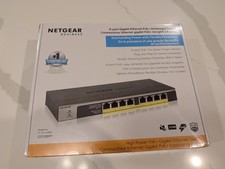
NETGEAR GS108PP 8-Port Gigabit Ethernet PoE+ Unmanaged Switch with FlexPoE.
$89.95

5Ports Gigabit Network Switch w/ 4 PoE+ Ports Total 52W each port 30W Plug&Play
$31.99



 Reply With Quote