-
Can anyone help out howto start login screen once system up?
I just finsihed a HD install of Knoppix 3.4 and could login without any validate user name and password. It loggs me in with no login screen under the uers knoppix. If I click the log out button, it just change screen and then came back to desktop. Any ideas?
Thanks advance!
-
When you install Knoppix 3.4 to HDD you are given 3 options:
1. Debian style with hardware detection
2. Debian style w/o hardware detection
3. Knoppix style
I am sure you have chosen 3 which gave you basicaly a copy of the CD on your HDD (just one user, no passwords etc).
To have multi user, multi account full Debian distribution on your HDD you must choose either 1 or 2.
For FULL explanation of the 3 different installation methods see here:
http://www.knoppix.net/docs/index.php/KnoppixInstaller
Short extract:
Types of installation:
1 Knoppix (hd swap services boot)
1.1 A copy of the liveCD on hard disk
1.2 Works exactly as the cd based system does except apt-get can be used to add more software and the system is no longer read-only.
1.3 DOES NOT ALLOW MULTIPLE USERS! You are logged in automatically, without a password. NOT a good idea if you are hooked up to a network and mind if your box is cracked and used for illegal purposes. Fine for a dedicated, disconnected desktop system.
That is wrong. As passwords are disabled like from Live-CD and no ssh is started by default you cannot be cracked easier than you could get by running from CD. Its for those who need just the comfort of the CD-system and nothing more. (FF)
1.4 Carries kernel command line to new system (i.e. Cheat codes) except for vga, initrd and BOOT_IMAGE
2 Debian (hd swap name user userpass rootpass host services boot)
2.1 Just carries acpi, noapic, nosmp, pci, pnpbios and noapm forward on the kernel command line
2.2 Allows multiple users
2.3 Bears the closest resemblance to a "normal" debian installation.
3 Beginner Default (hd swap name user userpass rootpass host services boot)
3.1 Uses Knoppix Hardware detection
3.2 Allows multiple users
3.3 Carries kernel command line to new system (i.e. Cheat codes) except for vga, initrd and BOOT_IMAGE
-
Thanks gitarzysta!
Thanks for your reponse!
I did noticed the options. Is it possible to update current installation to Debian style without re-install everything?
Thanks!
Similar Threads
-
By tiny in forum Hardware & Booting
Replies: 5
Last Post: 03-28-2005, 12:20 AM
-
By metavoid in forum General Support
Replies: 4
Last Post: 03-12-2005, 01:39 PM
-
By A. Jorge Garcia in forum General Support
Replies: 4
Last Post: 05-08-2004, 01:35 PM
-
By turbines in forum Hdd Install / Debian / Apt
Replies: 3
Last Post: 04-17-2004, 04:40 PM
-
By erp in forum Hdd Install / Debian / Apt
Replies: 5
Last Post: 03-23-2004, 02:26 AM
 Posting Permissions
- You may not post new threads
- You may not post replies
- You may not post attachments
- You may not edit your posts
-
Forum Rules

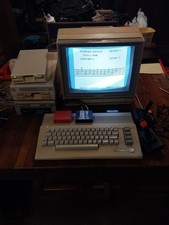
Commodore 64c Computer System
$550.00

Pi1541 Zero with Epyx Fastload Hat, Case & 16gb SD for Commodore 64 and 128
$79.99

TeensyROM+ TR+ v0.4 Cartridge for C64/128 - w/ Case & 32GB SD Preloaded
$89.50

Commodore 64 Dead Test & Diagnostic Cartridge & Test Harness Set - USA seller
$39.99
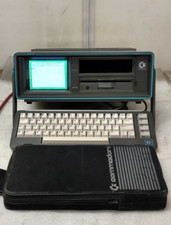
Commodore SX-64 Personal Computer
$600.00

Commodore 64 Serial Cable 6PIN DIN 1541 1571 C64 128 C128 Disk Drive Printer USA
$10.49

Commodore 1541 Emulator PI1541 HAT with ROTARY, OLED screen, USA Seller
$29.99
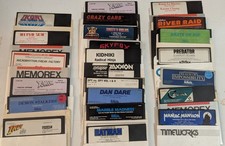
Commodore 64/C64 23 Original Games (Untested /As Is ,no returns )Maniac Mansion
$115.00

Commodore OS USB | Bootable LIVE + Install | The Ultimate Gaming Linux OS | NEW
$11.99
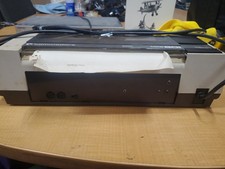
RARE Commodore MPS801 Printer - 1st printer for the 64 - powers on
$70.00



 Reply With Quote