-
Howto install nvidia driver with kernel 2.6.5
All this is done as root!
All this is done in a console (Not in a xterm. Press CTRL+ALT+F2 to get to a console login)
Get kernel source:
wget http://developer.linuxtag.net/knoppi...ustom_i386.deb
install kernel source with:
dpkg -i kernel-image-2.6.5_10.00.Custom_i386.deb
cd to /usr/src:
cd /usr/src
Unpack source:
tar xjvf kernel kernel-source-2.6.5.tar.bz2
install kernel headers:
apt-get install kernel-headers-2.6.5-1
Remove symlink:
rm linux
Make symlink to the new kernel:
ln -s kernel-source-2.6.5 linux
cd to linux:
cd linux
Make kernel tree cleen:
make mrproper
Copy knoppix kernel config:
cp /boot/config-2.6.5 ./.config
knoppix was compiled wit gcc-2.95 so w'll use that to compile the kernel:
export CC=gcc-2.95
Compile the kernel:
make
(Wait a long time)
Download Nvidia driver:
wget http://download.nvidia.com/XFree86/L...-5336-pkg1.run
Stop Xwindows system:
/etc/init.d/kdm stop
Nvidia drivere can't find the kernel source on my system so type this:
export SYSSRC=/usr/src/linux
Start the nvidia installation:
sh NVIDIA-Linux-x86-1.0-5336-pkg1.run
Accept the licence.
Chooce no to download precompiled modules, cause there are no precompiled modules for knoppix kernel at this time
Select yes to try to compile the nvidia module.
Now you should have compiled the nvidia module.
You have to edit the file /etc/X11/XF86Config-4 file with an editor
Find the line: Secton "Modules"
Comment out
Load "GLcore"
Load "dri"
So it looks like this:
# Load "GLcore"
# Load "dri"
Find the section "Device"
Change the line: Driver "nv"
to: Driver "nvidia"
open the file /etc/modutils/aliases with a text editor
append this line at the buttom of the file:
alias char-major-195 nvidia
You are done.
Now start Xwindows with:
/etc/kdm start
If you see a nice nvidia splash screen All went well.
Edidet mrproper to make mrproper, my fault sorry!
-
any idea where the 2.6.6 knoppix kernel source would be? it's not made it onto http://developer.linuxtag.net/knoppix/i386/
and when i tried this after 'dpkg -i kernel-image-2.6.5_10.00.Custom_i386.deb' completed i didn't have any .tar.bz2's in /usr/src/ so couldn't continue ?
-
I have run into the same issues as you have written below. For the life of me I don't know why installing a video driver is so convoluted! I have tried and read and read and read this and other install procedures and I have yet to find one refined, tested setup instructions that works for me! I have been trying for months with no success and it surely isn't a lack of my effort or not reading.
Is there anyone out there that can do a similar write up of a step by step procedure that works with the latest knoppix ver?
It would be so much appreciated if it was verified and that it actually works!
I would volunteer to help anyone that has this knowledge to test it out.
I know there are many many ppl that are just as frusted as I am.
Some one PLEASE Help us!--)))))
I need something that works and written for non linux non-savy users.
Again, I have read the Nvida Instructions, printed them out (latest IA-32 5336 Drivers), the above instructions and many others and yet here I sit months later and still no success.
Man I wish I could get it right! For those of you that have! Far Out! For those like me that haven't, what a drag!

Originally Posted by
Yakumo
any idea where the 2.6.6 knoppix kernel source would be? it's not made it onto
http://developer.linuxtag.net/knoppix/i386/
and when i tried this after 'dpkg -i kernel-image-2.6.5_10.00.Custom_i386.deb' completed i didn't have any .tar.bz2's in /usr/src/ so couldn't continue ?
-
Try getting the kernel source from here:
http://www.kernel.org/pub/linux/kern...-2.6.6.tar.bz2
untar it with tar xjvf linux-2.6.6.tar.bz2 -C /usr/src
Then try follow the steps in the guide.
Sincerley
Gozar
Similar Threads
-
By robelanator in forum Hdd Install / Debian / Apt
Replies: 49
Last Post: 10-06-2004, 10:10 PM
-
By lars in forum Hdd Install / Debian / Apt
Replies: 16
Last Post: 07-02-2004, 10:56 AM
-
By danboid in forum General Support
Replies: 0
Last Post: 06-28-2004, 09:42 AM
-
By Yakumo in forum Hdd Install / Debian / Apt
Replies: 14
Last Post: 06-14-2004, 05:07 PM
-
By nishtya in forum Hdd Install / Debian / Apt
Replies: 5
Last Post: 04-18-2004, 10:08 PM
 Posting Permissions
- You may not post new threads
- You may not post replies
- You may not post attachments
- You may not edit your posts
-
Forum Rules


GIGABYTE A520M DS3H AC AMD AM4 Motherboard mATX
$59.99

Intel H310 LGA1151 8-9th Gen DDR4 M.2 NVMe mATX Motherboard IO Shield Battery
$54.99

Intel H81 Motherboard M.2 NVMe LGA 1150 mATX w/ IO Shield (Random Slot Color)
$29.90

ASUS B85M-G / B85M-G PLUS LGA1150 DDR3 Micro ATX Motherboard HDMI Support 4thCPU
$45.00

GIGABYTE B365 HD3 LGA1151 Intel 9th Gen motherboard
$59.99

ASUS PRIME B360M-C MicroATX Intel LGA1151 DDR4 HDMI VGA USB RJ-45 Audio
$34.99
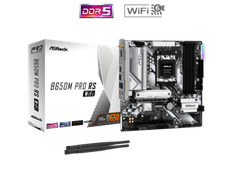
ASRock B650M Pro RS WiFi AM5 AMD B650 SATA 6Gb/s Micro ATX Motherboard
$101.99

ASRock B550M PRO4 AM4 AMD B550 SATA 6Gb/s Micro ATX AMD Motherboard
$76.49

ASUS PRIME Z490-V Motherboard Intel Z490 10th gen DDR4 LGA 1200 ATX w/ IO Shield
$84.99

MSI B460M-A Pro DDR4 LGA 1200 Micro ATX Motherboard 10th Gen
$59.99



 Reply With Quote