

 Reply With Quote
Use "vga=normal" as cheatcode - or include it in syslinux.cfg


Hello,
I installed Knoppix on HDD with the debian-begginer option (autodetect devices on boot) and have a small problem to fix:
at boot time, initrd changes the VGA screen from the 80x25 to one with more columns and lines. Unfortunately, my laptop does not shows all the text now, there are columns and lines outside the screen area. This really bothers me, as I am the console guy...
I did a bit of digging through the FAQ but could not find any of the boot.img, syslinux.cfg, etc.
Is there a way to fix it?
Thanks
a.
Use "vga=normal" as cheatcode - or include it in syslinux.cfg
 Posting Permissions


Yealink T48S VoIP/SIP Phone, 2 x Gigabit Ports PoE 7" Color SIP-T48S | TESTED
$34.95

SIM Bank 32 SIM Card Slots Ethernet SIM Server for GoIP
$400.00

Poly CCX 400 Desktop Business Media Phone VoIP 2200-49700-019
$49.99

Grandstream VoIP Phone Adapter ATA 1-Line Black Ethernet (RJ-45) Micro USB
$27.07
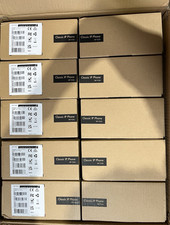
LOT OF 10 NEW Yealink SIP-T33G IP Phone 4-Line PoE Speakerphone VoIP Desk Phone
$699.99

Yealink SIP-T33G IP Phone 4-LineSpeakerphone VoIP Desk Phone Black w/ Power Sply
$25.00

Yealink SIP-T44W VoIP Phone 12-Line Gigabit Speakerphone RJ-45 Gray/Black
$44.00

Grandstream WP810 Portable Cordless Wi-Fi IP Phone
$49.28

Lot Of 5 Poly Edge E550 82M91AA IP Desktop Phone PoE New In Box
$1500.00

Cisco CP-8841 IP Phone Charcoal Handset And Stand Included
$27.99