

 Reply With Quote
I think your /home line should read:
/dev/hda5 /home ext3 auto,defaults 0 2
Your hda5 looks right though, and should be mounted automatically...


Hi!
I've installed knoppix 3.4 and it's great, but I have two little problems. I had Knoppix 3.3 in my HD with a home partition (/dev/hda5) and It worked fine but when i've installed 3.4 version i can't make that home partition mounts alone. I must enter with de root user and mount it before... and I don't like that :P
The second one is that I would like to configure a FAT32 partition(/dev/hda6) to mount automatically, but I can't.
This is my fstab file:
# /etc/fstab: filesystem table.
#
# filesystem mountpoint type options dump pass
/dev/hda4 / ext3 defaults,errors=remount-ro 0 1
/dev/hda5 /home ext3 defaults,errors=remount-ro 0 1
/dev/hda6 /mnt/hda6 vfat rw,users,auto,exec,umask=000 0 0
proc /proc proc defaults 0 0
/dev/fd0 /floppy vfat defaults,user,noauto,showexec,umask=022 0 0
usbdevfs /proc/bus/usb usbdevfs defaults 0 0
sysfs /sys sysfs defaults 0 0
/dev/cdrom /cdrom iso9660 defaults,ro,user,noexec,noauto 0 0
/dev/cdrom1 /cdrom1 iso9660 defaults,ro,user,noexec,noauto 0 0
/dev/dvd /dvd iso9660 defaults,ro,user,noexec,noauto 0 0
/dev/cdaudio /cdaudio iso9660 defaults,ro,user,noexec,noauto 0 0
/dev/cdrom1 /mnt/auto/cdrom1 auto users,noauto,exec,ro 0 0
# Added by KNOPPIX
/dev/hda1 /mnt/hda1 vfat noauto,users,exec,umask=000 0 0
# Added by KNOPPIX
/dev/hda3 none swap defaults 0 0
# Added by KNOPPIX
/dev/hdb1 /mnt/hdb1 ntfs noauto,users,exec,ro,umask=000 0 0
I think your /home line should read:
/dev/hda5 /home ext3 auto,defaults 0 2
Your hda5 looks right though, and should be mounted automatically...
I have a similar setup and had this problem when I upgraded to 3.4.
In essence the problem was that the hdinstall startup scripts were not automounting the partions listed in fstab.
There is a utility in the KDE System menu which you can use to fix this; I think it's called System Configurator, System Startup or something like that (sorry I'm not at my Linux box at the moment).
You need to add the "mountall" script (listed on the left-hand side) to the startup process for runlevel 0, right after knoppix-hdautoconfig
To come up with this solution I did some reading about how Linux starts up (if you're interested look for man pages on initrd and rc.d). The man pages tell you how to configure the startup sequence at the command line, but I later found out there's a GUI interface in KDE to do the same thing.
The fstab file you posted looks right, except that the last digit for /dev/hda5 should be 2 instead of 1 as noted by baldyeti (this number apparently determines the order your partitions should be backed up; the man page for fstab says something like "root partition should be 1, other partitions to back up should be 2, and partitions to ignore should be 0"). I think the default is for partitions to be auto-mounted, so writing "auto,defaults" has the same effect as writing "defaults".
Oops, sorry it looks like I got confused with that post... now I'm at home with my Knoppix computer in front of me I can read my log of what I actually did...
I don't think you can do it with the GUI program after all (which, by the way, is called SysV-Init Editor).
You should use these terminal commands:
Once you reboot your two partitions should be automatically mounted.Code:su root ln -s /etc/init.d/mountall.sh /etc/rcS.d/S39mountall
Hi!
Thank you for your answers. I've tried the baldyeti's one but It doesn't work and now I will try the Oliver's one.
(Sorry but my english is too bad :P)
It works!!!!!!
 Posting Permissions


Seagate ST6000NM0115 6TB 256MB 7200RPM 3.5" SATA 6.0Gb/s Enterprise Hard Drive
$159.99

Seagate Exos X14 10TB 7200RPM 3.5" SAS 12Gb/s Hard Drive HDD ST10000NM0528
$165.00

Seagate 14TB Exos X14 7200RPM SATA 6Gb/s 256MB 3.5" Enterprise HDD ST14000NM0408
$354.99
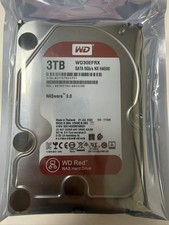
Western Digital WD30EFRX 3TB SATA 5400RPM 3.5" Internal NASware HDD Hard Drive
$84.69
HGST 4TB 7200RPM 3.5" SATA 6Gb/s Internal HDD | HDN724040ALE640 0F22408
$75.00

HGST HUS724040ALA640 4TB 7200 RPM SATA 3.5" Internal Desktop Drive 100% Health
$78.00
HGST - 6TB - 7200RPM 3.5" SATA 6Gb/s Enterprise Hard Drive | HUS726060ALA640
$84.99
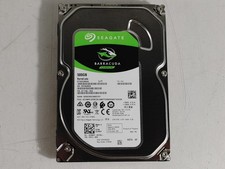
Seagate ST500DM009 BarraCuda 500 GB 3.5" SATA III Desktop Hard Drive
$14.99

Western Digital HUS726T4TAL5204 4TB 7.2K SAS 12Gb/s 3.5" 512e HDD NetApp X375A
$69.00
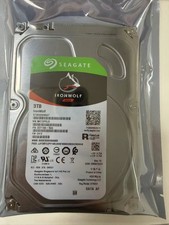
1PCS Seagate IronWolf ST3000VN007 3TB 5900RPM SATA 6Gb/s 3.5 NAS Internal Hard
$87.67