

 Reply With Quote
Use "vga=normal" as cheatcode - or include it in syslinux.cfg


Hello,
I installed Knoppix on HDD with the debian-begginer option (autodetect devices on boot) and have a small problem to fix:
at boot time, initrd changes the VGA screen from the 80x25 to one with more columns and lines. Unfortunately, my laptop does not shows all the text now, there are columns and lines outside the screen area. This really bothers me, as I am the console guy...
I did a bit of digging through the FAQ but could not find any of the boot.img, syslinux.cfg, etc.
Is there a way to fix it?
Thanks
a.
Use "vga=normal" as cheatcode - or include it in syslinux.cfg
 Posting Permissions


(New) AMD Ryzen 7 5700X 8 Core 16 Thread AM4 Unlocked 3.4 GHz CPU OEM Tray
$169.99
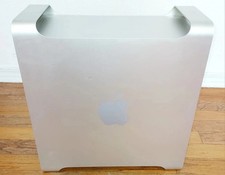
Apple Mac Pro 5,1 • 8‑Core 2.26GHz • 14GB RAM • 128GB SSD + 1TB HDD Dual NVIDIA
$325.00

Intel Core i9-9900K SRG19 3.60GHz 16MB 8-Core LGA1151 B Grade CPU Processor
$175.00

Home Assistant Server | 8GB RAM | 128GB SSD | Intel i5 Quad-Core | Dell OptiPlex
$159.99

Intel Xeon E5 - 2667V2 / SR19W 3.30GHz 25MB 8-Core CPU Socket LGA2011
$30.00

AMD Ryzen 5 PRO 4650GE 100-000000153 6-Core 3.30GHz 8MB AM4 CPU Processor
$59.99

AMD Ryzen Threadripper PRO 3945WX 12-Core 4.0GHz sWRX8 CPU NEW Tray Unlocked
$79.99

AMD FX 8350 8-CORE 4.00GHz CPU FD8350FRW8KHK SOCKET AM3+ *QTY
$39.99

DELL OPTIPLEX 3280 21.5" AIO Core i5 10500T 8GB 256GB NVMe Windows 11 -NO STAND
$179.99

Dell T7810 Workstation 8-Core 2.40GHz E5-2630 v3 No RAM GPU HDD OS
$259.98