

 Reply With Quote
I think you need to use the cheatcode toram to be able to eject the CD. This would need ~1 GB ram.
If you don't have the ram for this, you could try a lighter version like DamnSmallLinux of FeatherLinux.


After booting knoppix from the cd, how do I change that cd?
My pc only has 1 cd drive, and the knoppix cd needs to be mounted
to run programs from it. The command: "umount /cdrom" logically fails.
But to access files from another cd, I need to remove the knoppix cd,
in such a way that the knoppix system keeps working.
Now what is the secret little trick to temporarily unmount the knoppix cd???
Thanks in advance, because apart from this little problem, knoppix is really neat.
I think you need to use the cheatcode toram to be able to eject the CD. This would need ~1 GB ram.
If you don't have the ram for this, you could try a lighter version like DamnSmallLinux of FeatherLinux.
Yeah, Markus, I think that you are right.
As formulating a question is often answering it, I started to realize that unmounting the cd isn't really possible, just as you cannot unmount the root disk with any other *nix.
I am now going to install knoppix on the hard disk, using another cheatcode to a similar effect.
It still tickles me, though, how the cd burn program managed to eject the knoppix cd ...
 Posting Permissions


AMD Ryzen 5 5500 Processor ( read Description)
$59.00

(LOT OF 20) Intel Core i5-8400 CPU 2.80GHz Desktop Processor (SR3QT)
$700.00

INTEL CORE I9-10940X X-SERIES PROCESSOR | 3.30GHZ | SRGSH
$179.99
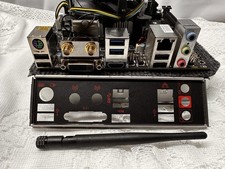
Compo MSI B150I GAMING PRO AC LGA1151 16 Gb DDR4 + Cpu I7 6700+I/O Shields.
$159.00

Intel Core i7-9700 Octa-Core 3 GHz Desktop Processor LGA 1151
$79.99

Intel Core i5-12500T SRL5W 2GHz 18MB 6 Core Socket LGA1700 Desktop CPU Processor
$114.99

Intel Core i7-3770K 3.5 GHz Processor
$39.00
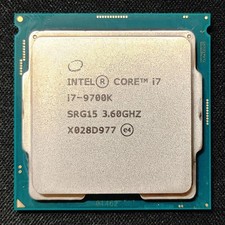
Intel Core i7-9700K Octa-Core 3.6 GHz Desktop CPU
$99.99

Intel Core i7-4770 3.40GHz Quad Core SR149 LGA 1150 CPU Processor tested
$35.00

INTEL CORE I9-10980XE PROCESSOR | 3.00GHZ | SRGSG
$299.99