-
cannot proceed using knoppix-installer !
Hey All:
Just trying to get a little ahead of the Linux Learning curve, and I need a little assistance. I'm am trying to install Ver. 3.3 build 11-19-03. My desire is to set up a dual boot environment on the HDD (30 GB Seagate Ultra ATA Drive) I've sucessfully used Qt-parted to give myself some Free space to partition for ROOT (4+GB) and SWAP (700+MB). This is where I run into a problem. I've already set up these partitions (both ext3) and when I "Sudo Knoppix-Installer" the first thing that happens (I'm sure by design) is that QTParted opens to create partitions. From there I get nowhere  ! It just stalls and the script doesn't continue. I'm sure it's simple, but being a knewb, I am missing something. The partitions are there already ! how do I get to the point that knoppix-installer asks where to install ? Also I have seen opinions posted re: dual booting and wanted to know if general opinion is that LILO will do a sufficient job from the MBR for Dual booting. I've made it this far and I really don't want to corrupt anything that will prohibit me from Dual Booting.
Thanks for your Valued Input !
-
Junior Member
registered user
The Swap partition needs to be "swap" type, NOT ext3. The reason your script is stalling is because the program needs a certain amount of RAM+SWAP to run, and there's not enough RAM in your computer to do it alone. If I recall correctly, it needs at least 512megs of RAM+SWAP.
It probably listed this requirement in its popup window explaining what it needed, but your brain didn't process it because you didn't realize your "swap" partition was useless.
Go to QTParted and remove that ext3 "SWAP" partition and create a new partition of type swap. Knoppix will then automatically detect and use this partition--giving it plenty of space to complete the script.
-
Junior Member
registered user
Oh, go ahead and use LILO and just accept the defaults. I've used it for several dual boot systems (Windows 98/Knoppix), including overwriting older installs (this completely wipes clean the old Linux partition for starting completely fresh; the Windows setup is unaffected).
Similar Threads
-
By jonli in forum Customising & Remastering
Replies: 2
Last Post: 02-15-2006, 11:51 PM
-
By Jesse in forum Hdd Install / Debian / Apt
Replies: 0
Last Post: 05-22-2004, 12:21 AM
-
By arkaine23 in forum Customising & Remastering
Replies: 4
Last Post: 11-11-2003, 10:01 PM
-
By CrashedAgain in forum General Support
Replies: 1
Last Post: 10-07-2003, 11:31 PM
 Posting Permissions
- You may not post new threads
- You may not post replies
- You may not post attachments
- You may not edit your posts
-
Forum Rules


Amiga Model 1080 RGB color CRT monitor - Parts Or Repair - Doesn’t Power On
$100.00
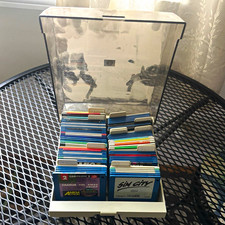
ALS Storage Box with Assorted Amiga Format 3.5" Floppy Disks
$199.00

Microbotics Starboard 2MB + SCSI Sidecar for Amiga 1000 Vintage Computer READ
$329.00
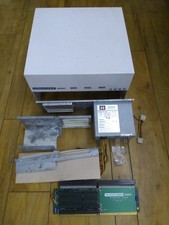
HighFlyer Amiga 4000 Tower & Bus Extender, Expansion Systems A4000T Kit
$888.50

Amiga 1000 Computer w/ Monitor Keyboard Mouse Disc Drive Sidecar Expansion Discs
$895.00

Commodore Amiga 4000 Motherboard Rev B - untested
$225.00

Amiga Emplant Emulator Card For Commodore Amiga 2000 4000 3000
$249.00
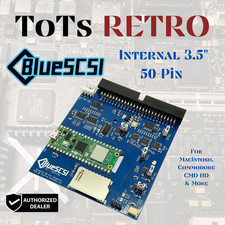
BlueSCSI v2 Internal 50-pin 3.5" SCSI Drive ,Wi-Fi,For Macintosh, Amiga, PC
$52.99

RGB2HDMI Amiga 500 UltraLong (Accelerator Friendly) HDMI Games, non-RTG A500
$50.00
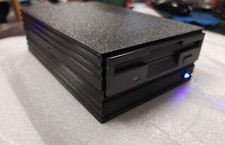
External fully assembled GreaseWeazle 3.5 inch Floppy Drive
$135.00



 Reply With Quote