

 Reply With Quote
Hei
If you type soundcard in the searchbox it will currently give you 317 possible answers..
mvh


Well, the problem is that when i run knoppix from de cd....sound works perfectly....but, i recently installed the same knoppix in the hard disk and happens that sound does not work....strange....I went to terminal and typed "sndconfig" a red hat tool and the driver is found, then I listen the a sound demo....ok, but why sound doesnt work in first place???
Everytime I start the computer I have to do the same....
I run knoppix on an ASUS A2500H laptop Pentium IV 256 mb 40gb....
Soundcard is and: Audio: -AC 97 S/W audio-SoundBlaster Pro Compatible -Build-in stereo speakers (1W)
Hope someone can help....
Hei
If you type soundcard in the searchbox it will currently give you 317 possible answers..
mvh
Well, I understand what you mean....but what searchbox you are referring to?
I am an recently ex-windows user....please undestand me!
Bye.
Originally Posted by cintra
Sorry Fabiand,
The box at the top of the page, or hit search (next to FAQ). I suggest this because, as someone recently from the XP environment, I know there is a lot of good info you could learn from there.
If you send output from lsmod, and let me know if alsamixer works I/we'll be able to help more
A frequent preventer of sound is the IEC958/AC97 slider (found in Kmix or Alsamixer), this should be totally down! and IEC958 (in Alsamixer) should NOT be muted. (shift-M to toggle)
regards
Ok! I advanced something.....I did what you said...I executed the command "kmix"...and the speaker picture appeared next to the clock!....now It should work....I guess....
How do I know if the sound works???.....I dont even know that.....
Thanks for the help....

OK! we're getting somewhere..
Right-click on the speaker icon, choose 'Show mixer window', click the Output tag. On the right of the mixer you should see the IEC958 slider, it needs to be ALL the way down.
At the same time you should make sure the green lamp is on for Master and PCM, and those sliders should be up close to the top.
On the bottom left of the mixer click on advanced and make sure the green lights are ON for IEC958 & IEC958 Pla(yback source). Just click them to turn them on/off...
If you saw what I described, you should now be able to play sounds... look for an mp3 or ogg file and click it.. best of luck!
mvh
 Posting Permissions


OPNsense pfSense 8-Core Atom C3758 2.2GHz 8GB DDR4 64GB SSD 8x NIC QAT AES VPN
$145.00

pfSense Firewall 16-Core Atom C3958 8GB DDR4 RAM 64GB SSD 8x 1Gbe QAT AES-NI VPN
$184.99

OPNsense pfSense 16-Core Atom C3958 16GB ECC RAM 512GB SSD 8-Port QAT AES-NI VPN
$258.00

SonicWall TZ280 Firewall 03-SSC-6933 Advanced Edition 3YR NEW SEALED
$999.99

Fortinet FortiGate 60F FG-60F P24286-03-13 Network Firewall Security Appliance
$155.75

OPNsense Firewall VPN QAT 8-Core Atom C3758 2.20GHz 16GB DDR4 128GB SSD 8xNIC
$175.00

Palo Alto PA-220 Next-Gen Firewall 520-000309-00J
$40.00
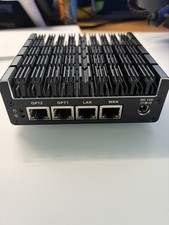
Protectli Vault FW4C-0-8-120 - 4 port, Quad Core, 8GB RAM, 128GB
$180.00

Zero Trace Pen: All-in-one Tor Network Anonymous Drive + Cryptocurrency Wallet
$147.00

NETGEAR ProSafe 8-Port Gigabit VPN Firewall FVS318G NEW IN BOX
$69.99