

 Reply With Quote
I'll give it a shot tomorrow. Think I'll try a backup first though...


Well, keep in mind that I'm still just a newbie myself...so I'm never certain in my answers.
But I think the issue is that you're only using stable sources. Since Knoppix is based on unstable, you're basically trying to mix stable packages with unstable ones...which won't work. You either need to go in and revert all of your existing packages to stable, or edit your sources.list file to include unstable and testing sources. Making a knoppix install into a debian stable system seems like it would be a huge pain to me. If you don't want to do alot of configuring you're better off just keeping it as debian unstable.
I'll give it a shot tomorrow. Think I'll try a backup first though...
Hi champagne!Have to say that I really haven't had much trouble with kpackage. It is a bit weak as far as "what was the problem" exactly when installing a package fails, but in general it fetches the dependencies just fine for me. Where it also can be a pain is when I go "shopping spree" for several unrelated things, one of them will fail for whatever reason leaving the rest unconfigured in limbo. So I often have to fall back to command line with dpkg --configure -a to get the rest done. It may not be the most intuitive front end for apt but I love making a "shopping list" and ticking off things
I couldn't tell with Mustang whether he was having trouble with kpackage the application itself or apt in general due to like you noted, the mix of sources he has.
Mustang, whatever you try next, be sure to do apt-get update (not to be confused with upgrade) first, regardless of what frontend if any you are using. If you are using an old database, it would definitely cause problems similar to some of what you are seeing here
Kpackage fetches dependencies for you?Originally Posted by nishtya
It doesn't for me. It just tells me that it can't install and shows me why. Mind you it's then an easy fix in the CLI, but I've pretty much stopped using KPackage due to it never getting the dependencies for me. Synaptic will...and it will also let me do the shopping list type of thing you're talking about. Are you sure that's not what you're thinking of?

Oh yes, Champagne, my kpackage certainly does fetch the dependencies when I choose to install something (in the next dialog, seeing the dependencies I have sometimes said, FORGET it
Does yours function like this: After picking something to install in the first dialog by checking the little button for it, I click on "install marked", after it requests root password the next dialog that comes up lists on the left-hand side the package(s) I checked off AND any dependencies for them. The checkbox "ignore missing" must NOT be checked off - it should be unchecked in order to get the dependencies. Perhaps some versions of kpackage had that checked by default?
When you click on Install, the right hand pane will give a quick little synopsis of what is going to happen, how many packages to be upgraded, new, and (be careful!) removed as it starts downloading.
It is at this point I have sometimes hollered WHOAI don't know what it was earlier today I was going to install that had a conflict (since as usual I had picked out a bunch of unrelated things on my shopping "spree") but it was going to UNinstall the bulk of KDE
CANCEL
Barring stuff like that, try it out on something simple sometime. In the first dialog look for a little package that you don't have a dependency for (which will be noted by it being in italics in the right hand pane with the description of the pkg you are interested in). Then go to install it. You should see it bring in the dependencies in the next dialog.
I guess I will be called a lamer for not using the command line for this (or at least not much anymore) but I really love being able to scroll/stroll through the "aisles" of the "store". It is one of the few things in linux that I genuinely prefer having a front end/gui for.
I did try synaptic. To be honest I forget why I didn't carry on with it. Perhaps will take another look it. Installing an update to synaptic with KPackage as I type
I would never call you a lamer nish.
I bet the reason it doesn't get the dependencies for me is because I've only ever used it when installing packages I've gotten off of the net using firefox. Since you look through the stuff in the repositories and get them directly from there I'll bet that's why it gets the dependencies. To be honest, as sad as it is to admit, I never even really thought about the fact that you could use KPackage to look through the repositories. So if anybody is lame it is definitely me.
Yup, I just tried using kpackage to open a single deb on the local machine, it doesn't fetch dependencies in that case
Does synaptic get dependencies when you use it for a deb you downloaded otherwise? I just have updated it and have to run out so I can't try right now but I have to admit that would be a nice feature.
I may love my kpackage but I am not averse to trying something different.
I doubt it...I bet it does just like Kpackage does. You have to pardon my ignorance on Kpackage...I'd just never used it for anything other than opening a single deb.Mind you, I've never actually tried doing so with Synaptic...I always just went and used dpkg on it or got the app through apt-get in the CLI. So I spose anything's possible. But after trying Kpackage through the repository as you've been using it, I must say that it isn't a bad way to install things...and I think it might actually be better than Synaptic.
tehe, making a kpackage convert of you?
General opinion seems to be that synaptic is 'better' than kpackage...but there a lot of people out there who don't like KDE or any KDE packages. Both synaptic & Kpackage are just gui frontends for apt-get & actually call apt-get to do the install, and apt-get in turn actually uses dpkg routines, as does dselect which is a less 'user freindly' text-only search & download package handler.
All of them are capable of handling dependencies but they will only do it if 'they' are doing the package downloading...ie as you have discovered, no dependency handling on already downloaded packages. 'Apt-get update' updates the database of installed and available packages and I have recently read (in another post here) that 'deselect update' does the same thing only better because there is more than one database file & deselect update keeps them in sync but apt-get update doesn not.
'Apt-get upgrade' attempts to upgrade everything in sight....best to avoid as there seems to always be a problem with something.
'Apt-get -t unstable <package>' will upgrade that individual package to whatever version is in unstable.
I generally use apt-get for upgrading/installing packages because it's easy & you can specify unstable or whatever, Kpackage (& Synaptic) are really useful for shopping for packages as you can get a list of what is available. Dselect can also be used for shopping but it's a PITA to use.
For Mustang64 who is trying to upgrade kde, I have 'apt-get -t install kdebase' (& the other kde meta packages) from knoppix 3.3 & it went OK. It will give you kde 3.2.3, you will have a couple of odd bugs to fix (ksplash will stall but still work) but no really big problems. I eventaully made a remastered knoppix 3.3 upgraded to kde3.2 but then tried 'apt-get upgrade' which caused so many problems I gave up & switched to knoppix 3.4. I will be remastering it also....My goal is to get something better than my Mandrake 9.2 system but based on Debian so I can keep it up to date easier.
 Posting Permissions


WAVLINK RAID 2 Bay Hard Drive Docking Station SATA 2.5/3.5'' SSD HDD Enclosure
$119.99
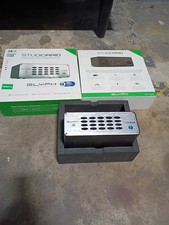
Glyph StudioRAID 28TB External RAID Hard Drive Thunderbolt 2 USB 3.0 7200RPM
$300.00

Broadcom 9600-24i Tri-Mode RAID Controller 4.0 NVMe SAS SATA NEW 05-50111-01003
$639.69

OWC Mercury Elite Pro 2 Bay RAID Enclosure with USB 3.2 for Dual 3.5 inch HDDs
$87.99

2-Bay/4-Bay Hard Drive Enclosure for 3.5"/2.5'' SATA HDD/SSD 10Gbps USB-C 3.2
$119.99

Dell PowerEdge HBA330 LP PCI-E 12GBs RAID SAS Controller Adapter J7TNV
$18.95

Acasis USB 3.2 2 Bay HDD RAID Enclosure for 2.5/3.5" SATA Drives External Array
$55.00

Broadcom LSI 9305-16i 12Gbps SAS-3 PCIe x8 HBA 16-Ports Raid Controller
$64.99

Intel VROC Premium RAID Controller Card PCIe Add-On Module VROCPREMMOD
$265.00

Adaptec ASR-71605 16-Port 1Gbps PCIe RAID Card High Profile
$18.49