

 Reply With Quote
You would need approx. 2 gb of RAM for /usr
You really need a translucency/overlay filesystem for what you want to to. But these where not usable with Knoppic in a stable way yet last time I checked.


I love knoppix. I use it "live" (uninstalled) in a variety of situations. I'm looking for an easy workaround that allows apt-get to use the ramdisks for its operations.
The earliest I've seen this mentioned is July 2003. Having looked at the newest cheatcodes, here's my proposal:
Add to the "toram" option, allowing /usr/local and /var to be individually specified. This would allow a machine of modest means to be reconfigurable/extendable without HD installation.
You would need approx. 2 gb of RAM for /usr
You really need a translucency/overlay filesystem for what you want to to. But these where not usable with Knoppic in a stable way yet last time I checked.
>You would need approx. 2 gb of RAM for /usr
Right.
Allow me to restate my proposal.
I plan to mount /usr/local separately.
Honestly, a "fresh" linux instillation *should* have an empty /usr/local.
Similarly, /var and /etc are primarily "dynamic" & site-specific
Why not mount these dynamic "local" filesystems into RAM whenever possible?
I agree with this concept.
It would be ideal to be able to use TORAM with only certain directories or filesystems, rather than the way it is, which is "all or nothing", because who has enough ram for the entire CD?
Indeed. Maybe in 2-4 years...Originally Posted by airplays
I realize that the problem is designing a sane mount table. It seems that "mounting over" gives the most obvious solution.
Let's try the following simple hack as root on command line:
Code:# cp -rp /var /ramdisk/my_var # cp -rp /usr/local /ramdisk/my_local # mount /ramdisk/my_var /var # mount /ramdisk/my_local /usr/local
Hahahah. That was funny. If only it were so easy...
Here is what (sortof) works (with >256M RAM, pref 512M):
[code]
dd if=/dev/zero of=/ramdisk/tmpfile \
bs=1k count=200000
losetup /dev/loop0 /ramdisk/tmpfile
mkfs -t ext2 /dev/loop0
mount /dev/loop0 /mnt
cp -rp /KNOPPIX/var/* /mnt
umount /mnt
mount /dev/loop0 /var
----------
Note: If you don't have a HD partition, but you do have room on a rw HD partition, you can mount that and substiture
/yourHDpart/yourKnoppixDir for /ramdisk/tmpfile. Then, next boot, you just use the "losetup" and "mount var" commands.
You almost had it.
Working:
No need to hassle ...Code:# cp -rp /var /ramdisk/my_var # cp -rp /usr/local /ramdisk/my_local # mount --bind /ramdisk/my_var /var # mount --bind /ramdisk/my_local /usr/local
cu
Fabian
How about:
cp -pRH /usr/local /ramdisk
ln -sf /usr /ramdisk/local
Ah, but you can't write to /usr, can you? :)
Awesome! Ah, sweet commandline...
Now if only Debian would create a politically stable mechanism whereby apt-get can download packages for manual install into someplace like /usr/local <big pet peeve; i can't find the relevant flamewar link just now...>
 Posting Permissions


GIGABYTE A520M DS3H AC AMD AM4 Motherboard mATX
$59.99

GIGABYTE Z790 AORUS ELITE AX LGA 1700 Intel Z790 ATX Motherboard with DDR5
$119.99

Corsair RMe RM850e 850W 80 Plus Gold Fully Modular Low Noise Certified Refurb
$56.99

Gigabyte GA-B85M-D3H Motherboard
$54.99

GIGABYTE B365 HD3 LGA1151 Intel 9th Gen motherboard
$59.99

Asus Prime B660M-A AC D4 Motherboard Intel LGA 1700 14th 13th 12th Gen DDR4
$79.99

Intel H81 Motherboard M.2 NVMe LGA 1150 mATX w/ IO Shield (Random Slot Color)
$29.90

ASUS PRIME H410M-K LGA 1200 Intel 10th Gen H410 DDR4 USB3.2 Motherboard M-ATX
$59.99
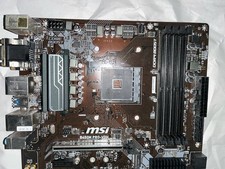
MSI B450M PRO-VDH MAX MicroATX AM4 DDR4 HDMI AMD Motherboard
$69.99

Dell XPS 8940 Desktop Motherboard Intel H470 LGA1200 DDR4 K3CM7 KV3RP 427JK
$154.99