

 Reply With Quote
I think there's a menu option called "Create Persistent Home Directory"
Have a look at the FAQ which goes through the process.


Hello! I have a little problem, because of my /home directory. I would like it not to be temporary located in RAM, but to be phisycally situated on my USB Flash MP3 Player (128mb). Can you give me an advice how to? Thank you very much.
I think there's a menu option called "Create Persistent Home Directory"
Have a look at the FAQ which goes through the process.
I did that but when i run this script in console it tells me this message:
Xdialog: error while loading shared libraries: /usr/lib/libgtk-1.2.so.0: cannot read file data: Input/output error
I use knoppix 3.4 (as i know the last version). Please, help!
Why are you running a script in console? Just K->KNOPPIX->Configure->Create persistent home. Tell it you want your PH at /dev/sda1 (or wherever it is), reboot with the home=/dev/sda1 cheatcode, and it should be fine.Originally Posted by BuHHu-nyx
JD
I run it in console because it doesn't work in "knoppix" menu. It just waits about 15 seconds and does nothing. And i think there is no difference beetween running it from menu or console.
Fifteen seconds may not be long enough. It may take some time - I have a fairly fast Athlon box, and it sometimes takes a while. Depending on your machine, you might want to wait at least a couple of minutes. Try it again and set your "tea timer" to Earl Grey - my bet is that it will be fine.
JD
Try to understand: if I run it in menu it waits for about 15 seconds and crashes. To find out why it happens so, i ran this program in console and it printed this message:
That's why it crashes, but why there is error: that is the question. I have Pentium 2.4Ghz, 512Ram - enough, i expect, to run Knoppix. Help, please!Xdialog: error while loading shared libraries: /usr/lib/libgtk-1.2.so.0: cannot read file data: Input/output error
 Posting Permissions


Yealink T48S VoIP/SIP Phone, 2 x Gigabit Ports PoE 7" Color SIP-T48S | TESTED
$34.95

Lot of 4 USED IPitomy IP620-B with IPX-32 DSS Expansion Module VoIP Phone POE
$225.00

Grandstream VoIP Phone Adapter ATA 1-Line Black Ethernet (RJ-45) Micro USB
$27.07

Poly CCX 400 Desktop Business Media Phone VoIP 2200-49700-019
$49.99

Yealink SIP-T33G IP Phone 4-LineSpeakerphone VoIP Desk Phone Black w/ Power Sply
$25.00

Grandstream HT701 1-Port FXS Analog Telephone Adapter ATA VoIP Gateway -Free S/H
$19.99

Lot of 4 Cisco CP-8841-3PW-NA-K9 8841 MPP Multiplatform VoIP IP Phone NEW
$450.00

Grandstream WP810 Portable Cordless Wi-Fi IP Phone
$49.28
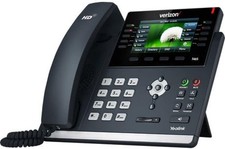
Verizon Yealink SIP-T46S T46S IP Desk Phone Bluetooth Ready (Open Box)
$74.99

Set of 5 USED IPitomy IP620-B HD VoIP 6-Line IP Phone Speakerphone Ethernet POE
$149.00