

 Reply With Quote
Right click the German flag icon, select Configure...Select US English from the Primary Layout. Click OK. At least that is how I did it.


Hi;
I installed Knoppix 3.1 to my new computer this weekend.
I followed the advice in the FAQ for changing the language and keyboard settings to English.
However, for some reason, under the user "knoppix" the English keyboard settings are not being saved in between sessions.
Everytime I log in the German flag is in the taskbar.
How can I change this setting permanently?
Thanks in advance
Steve
Right click the German flag icon, select Configure...Select US English from the Primary Layout. Click OK. At least that is how I did it.
And after you, see that is working correctly for a couple days, click that up arrow thingy, just to the left of it, and remove the flag from the desktop. Even though it nice to see th U.S. flag.
Bill
Originally Posted by mmaki
It worked!
Now I know how frustrated non - Americans must have felt all of these years using software made in the US
Thanks for the help
Steve
 Posting Permissions


Vintage Heathkit Hero Robot ET-18 Assembly Manual 1982
$222.99
Vintage Key Tronic LT DESIGNER Mechanical/Rubber Dome Keyboard DIN-5 AT/XT
$50.00
Vintage HP Compaq nc6400 Laptop – Windows XP Pro – Works – Charger Included
$67.00

RARE VTG ACORN PUBLISHING LOGO & READING PROFESSOR USER GUIDE+DISKS -EPSON QX-10
$249.95

Original Vintage Old Style STANDARD Black CD Jewel Case (Heavy Duty) 90g Lot
$316.95

Vintage Shuttle K48 Small Form Factor Pc FOR PARTS OR REPAIR
$100.00
$80.00
Lot Vintage 1991 Apple Microsoft Classic Software Disk Manual User Guide 7.0.1 +
$74.95
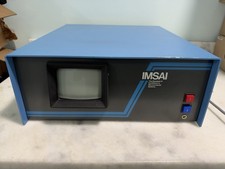
Vintage IMSAI S-100 Computer CRT System w/ Boards Nonworking Parts/Repair
$2699.00
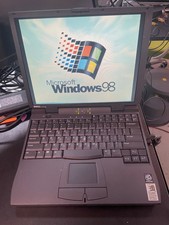
Vintage Dell Latitude CPi A366XT Win 98SE w/USB Support 256MB 60GB HD FDD Serial
$109.99
