

 Reply With Quote
Right click the German flag icon, select Configure...Select US English from the Primary Layout. Click OK. At least that is how I did it.


Hi;
I installed Knoppix 3.1 to my new computer this weekend.
I followed the advice in the FAQ for changing the language and keyboard settings to English.
However, for some reason, under the user "knoppix" the English keyboard settings are not being saved in between sessions.
Everytime I log in the German flag is in the taskbar.
How can I change this setting permanently?
Thanks in advance
Steve
Right click the German flag icon, select Configure...Select US English from the Primary Layout. Click OK. At least that is how I did it.
And after you, see that is working correctly for a couple days, click that up arrow thingy, just to the left of it, and remove the flag from the desktop. Even though it nice to see th U.S. flag.
Bill
Originally Posted by mmaki
It worked!
Now I know how frustrated non - Americans must have felt all of these years using software made in the US
Thanks for the help
Steve
 Posting Permissions

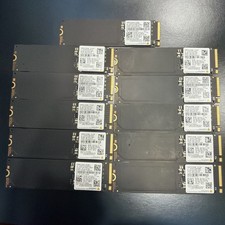
Samsung PM991a Lot Of 11 ~ 512GB NVMe SSD Solid State Drive 100% -84% Health
$640.00

Samsung Galaxy Tab Active 3/ 64 gig/WIFI
$85.00
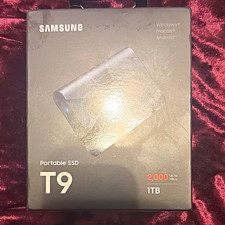
Samsung Portable SSD T9 1TB USB 3.2 Gen 2x2 Black Encrypted Drop Resistant
$185.00
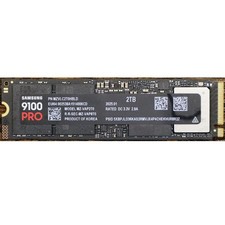
Samsung 2TB 9100 PRO 14,700MB/s PCIe 5.0 x4 NVMe M.2 2280 SSD (MZ-VAP2T0B/AM)
$399.49

Samsung MLT-R116 Imaging Unit Xpress M2625 M2675 M2825 M2875 M2885 M3015 OEM NEW
$49.99

Samsung SCXSTP000, SCX-STP000 (Swingline Staple Cartridge - 3 Refills)
$57.99

Magnetic Leather Flip Case with Stand for Samsung Tab S9 S9+ S10+ S10 Ultra
$20.99

Kids Case for Samsung Galaxy Tab A9+/A9 plus 11 Inch 2023 Case, with Strap, Shoc
$27.99

New Samsung 512GB FIT Plus USB 3.2 Gen 1 Type-A Flash Drive MUF-512AB/AM NEW
$120.00
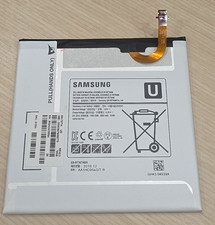
Samsung EB-BT367ABA Silver Replacement Battery for Galaxy Tab Tanlet
$22.86
