

 Reply With Quote
Im running into the same problem.But the vga=normal does not work for me.
-----------------------------------------------------------------
Free Software,Free Speech,Free Society
http://bhavesh.freeshell.org


Just thought I'd share this just incase anyone has this problem and tries to search the forums for it.
I had my 19" LCD screen go blank and report "Out of Range" immediately after the initial screen where you can select boot options (cheat codes), and linux would start to boot. Then the screen would return right when X Windows starts. Shutting down would also cause the screen to go blank again since it's exiting X Windows.
If trying to set the refresh rate with the vsync/hsync commands doesn't work. Try "vga=normal" with no quotes as a boot option. worked like a charm. Also had display problems on my laptop that this seemed to fix it too.
Hope this helps someone out!
Im running into the same problem.But the vga=normal does not work for me.
-----------------------------------------------------------------
Free Software,Free Speech,Free Society
http://bhavesh.freeshell.org
http://www.knoppix.net/docs/index.php/CheatCodes
You'll see a referesh code.
In my experience, the "Out of Range" issue is fairly common if you don't specify both the xmodule and the maximum screen resolution with the latter being the most important and the fomer making the latter unnecessary when you get it right.
Luckily, the xmodules listed on the cheat sheet are quite limited and self-explanatory.
I've generally had the Out of Range problem disappear by setting screen=1024x768. But if you don't set the right xmodule and your card is a 3D card, you won't get openGL working in games like Legacy Doom. You are playing Legacy Doom on an openGL 3D card, aren't you?
I did a hdd install from knoppix.I have a i845 intel graphics chipset and Mitsubishi NX86LDC display.Originally Posted by ahfoo
Nope Im not playing any games like Legacy DOOM.Whenever I start my computer it always gives me this "Out of Range".I tried scree=1024X768 but the problem still remains.
 Posting Permissions

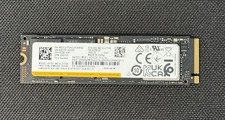
Samsung PM9A1 1TB NVMe M.2 SSD PCIe Gen4 x4 MZ-VL21T0A 2280 OEM Tested
$105.00

External SSD 1TB 2TB Portable Hard Drive USB 3.1 Type-C High Speed PC Mac
$15.99

Dell Latitude 14" Laptop Computer Intel i7 Up To 32GB RAM 1TB SSD Windows 11 Pro
$427.48
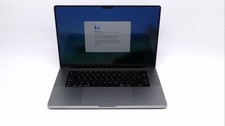
Apple Macbook Pro 16" M1 Max 10-Core 32GB 1TB - Good
$1099.99
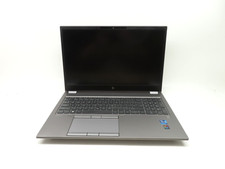
HP ZBook Fury G8 15.6'' Intel Xeon W-11955M 2.6GHz 64GB RAM 1TB SSD RTX A2000
$599.99

Acer Predator Helios Neo 16S AI 16" i9 275HX 2S RTX 5070 Ti 32GB 1TB SSD Refurb
$1769.85

Acer Aspire 14" AI Copilot+PC Laptop Core Ultra 5 226V Gen 4 ARC 16GB 1TB Refurb
$465.02

SAMSUNG T7 Portable SSD 1TB Indigo Blue USB 3.2 Gen2 External MU-PC1T0H/AM
$159.99

Dell Latitude 14" Laptop Computer Intel i5 Up To 32GB RAM 1TB SSD Windows 11 Pro
$288.98

External SSD 1TB 2TB 4TB Portable Hard Drive USB 3.0 Type-C High Speed PC Mac
$19.99