

 Reply With Quote
apt-get install big-cursor
will give you big cursors in X, be warned, they're pretty big.
to undo it (if too big):
apt-get install artwiz-cursor
Good luck,
Luke


Anybody know how to increase the size of the mouse cursor? I got a hdd install of v3.3 and running kde. I tried turning on the appropriate options in kde's control center and rebooting to restart kde. The checkboxes show up as being clicked on, but the mouse cursor remains the same tiny size.
apt-get install big-cursor
will give you big cursors in X, be warned, they're pretty big.
to undo it (if too big):
apt-get install artwiz-cursor
Good luck,
Luke
See also this post:
http://www.knoppix.net/forum/viewtop...ghlight=cursor
Thank you all for the timely responses and very helpfull information. CrashedAgain, I followed your link and picked up the tip from rickenbacherus and installed the golden cursor from kde. Now it works fine and I can see.
 Posting Permissions


USB 3.0 Flash Drive 32GB 64GB 128GB Memory Stick Thumb Stick Lot Pack
$826.09
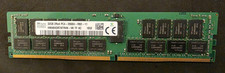
SK HYNIX 32GB 2RX4 PC4 2666V ECC SERVER RAM
$199.00

TF/SD Card Adapter Camera Reader Android Type-c For iPhone17 Pro Max Plusm lot
$573.98

1/ 10/ 100pcs USB 2.0 2GB, 4GB ,8GB ,16GB ,32GB ,64GB 128GB USB Flash Drives Lot
$202.50

Kingston 32GB 64GB 128GB 256GB USB 3.0 Flash Drive Thumb Memory Stick Pen lot
$285.90

USB 3.0 Micro SD SDHC TF Card Reader Memory Adapter for PC Laptop Camera lot
$3.75
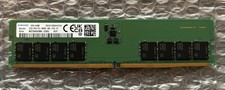
Samsung M323R4GA3BB0-CQKOL 32GB PC5-4800B DDR5 Memory
$430.00
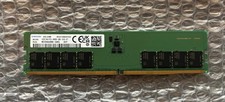
Samsung M323R4GA3BB0-CQKOL 32GB PC5-4800B DDR5 Memory
$430.00

5 in 1 Memory Card Reader USB 3.0 OTG Adapter SD Card Reader For iPhone/iPad LOT
$9.99

Windows 11 Pro Install/Recovery/Repair USB Flash Drive
$35.00