-
Junior Member
registered user

Originally Posted by
champagnemojo
Originally Posted by
xSauronx
anywa to get automount to not look for a floppy drive?
I've always had the same issue on my laptop. Yes, you can turn off the automounter. Just run:
Code:
/etc/init.d/autofs stop
If you want to stop it permanently (and trust me you do) then also run:
Code:
update-rc.d -f autofs remove
i did this, it still stalls for 1-2 minutes when i graphically broswe /mnt
Originally Posted by
mzilikazi
My dvd drive is the Primary Slave so it's called /dev/hdb. I just do this:
ln -s /dev/hdb /dev/dvd
when booting, it says my dvd/rw is hdc
but i have *no* /mnt/hdc or /dev/hdc at all....wth? how do i use my dvd drive if its not seeing it there?
-new question- how do i find which "folders" are linked to which partitions? i have partition hda6 that is showing as 30gb and almost full, im pretty sure i have hda6 set as /home but my /home has under 50meg in it; where do i find out what else is using this parition so i can get my data?
-also- qparted shows hda8 as ~35gigs, and almost full. but if i look at hda8 from the desktop link i see....nothing. nada. is something wrong? or is it similar to my above situation; that i just dont know what im looking for? 
thanks so much guys
Similar Threads
-
By A. Jorge Garcia in forum General Support
Replies: 28
Last Post: 08-25-2004, 03:30 PM
-
By wolfgang_a_h in forum Hdd Install / Debian / Apt
Replies: 3
Last Post: 12-21-2003, 01:11 AM
-
By ndrake in forum Hdd Install / Debian / Apt
Replies: 3
Last Post: 09-29-2003, 02:26 AM
-
By Entropy42 in forum Customising & Remastering
Replies: 0
Last Post: 04-13-2003, 06:38 AM
-
By rattler in forum General Support
Replies: 3
Last Post: 01-22-2003, 03:28 PM
 Posting Permissions
- You may not post new threads
- You may not post replies
- You may not post attachments
- You may not edit your posts
-
Forum Rules


Gigabyte 4U AI Server 10x Nvidia GPU 2x Xeon Gold 6150 36 Core 2.7GHz DDR4 RAM
$1625.00

Dell EMC PowerEdge R440 Xeon silver 4215 2.5GHz 16 GB ram 2x 550W PSU No HDD
$275.00

867959-B21 HPE ProLiant DL360 G10 CTO Server W/ 2x 865414-B21 1x 840140-001
$245.00

Dell PowerEdge FX2s + 8x FC430 Blades 16x E5-2630v4 160 Cores Rails No PSU/RAM
$699.00

Dell PowerEdge C4130 1U AI GPU Server | 2x E5-2680 v3 | 32gb Ram | 2x 1600W
$409.99

Dell PowerEdge R730XD 28 Core Server 2X Xeon E5-2680 V4 H730 32GB RAM No HDD
$378.93

Dell Poweredge R730xd 12LFF 2*2660v4 4*1Gbe h730 2x 750W Server CTO
$308.00
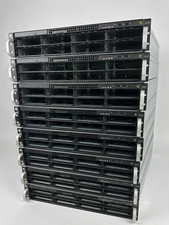
2U AI MINING SERVER 2x Xeon 36 cores 2.3Ghz DDR4 2x NVIDIA V100 GPU PCIe 2PS USA
$799.00
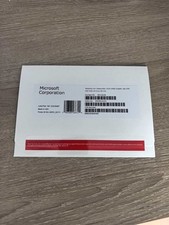
Windows Server 2025 datacenter 64bit 24 Core 50 cal DVD + PRODUCT LICENSE KEY.
$49.99

Dell Poweredge R630 2x Xeon E5-2680 v3 2.5ghz 24-Core | HBA330 | No RAM or HDD
$149.99



 Reply With Quote