

 Reply With Quote
You can start CUPS with: /etc/init.d/cupsys start
If it works add it to startup with: update-rc.d cupsys defaults


When I open the printer configuration a message appears "List of printers could not be transferred. Connection to CUPS Server didnt work. Please check if the CUPS Server is correctly installed and activated". I cant install any printer. What can i do ?
You can start CUPS with: /etc/init.d/cupsys start
If it works add it to startup with: update-rc.d cupsys defaults
After typing the command this message appears:
Starting printing system service: cupsdcupsd: Child exited with status 1!
But I still get the same error message when installing a printer
Hmm, something wrong with cups then. Do you get any errors with typing: cupsd
EDIT: You have to do these as root. So type first sudo su to become root in a shell, and exit from su with ctrl-d.
I get "child exited with Status 98!"
Starting to look like this thread: http://www.knoppix.net/forum/viewtopic.php?t=3592
How are you going about this? K-menu -> KNOPPIX -> Configure -> Configure Printers ?
Do you see any specific error messages with: cat /var/log/cups/error_log ?
Is cups running even though it supposedly exited: ps fax|grep cups
Which version of Knoppix do you have?
Sorry for just having questions instead of answers
Yep, deja vu! I remember having trouble then. What I learned is that it sometimes matters how you configure printers in KDE. Don't know why. Before you go poking around with console commands as root, tell us specifically how you are getting there. Oftentimes, if I get there by K->KNOPPIX-> etc., it doesn't work for me. But if I start at the penguin icon instead, then go to Configure, then set up printers, it works fine. I know it shouldn't make a difference, but it does sometimes.Originally Posted by Markus
JD
 Posting Permissions


Samsung 860 PRO 2TB 2.5" SATA III V- NAND SSD MZ-76P2T0 86%-90% Health
$187.00
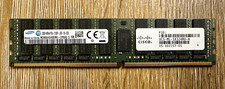
Samsung 32GB DDR4-2133 PC4-2133P ECC Registered RDIMM 288-Pin 15-102217-01
$239.00
$142.50
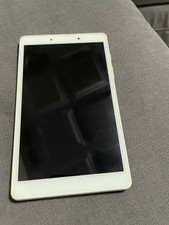
USED Silver White Samsung Galaxy Tab A 8" Kids Edition 32GB TABLET - SM-T290
$39.99

RAM-HOL-SAM60CPU RAM USB-C Powered Dock for Samsung Tab Active5 - 3 - 2
$81.99

RAM-HOL-SAM52CPU RAM USB-C Powered Dock Samsung Tab Active4 Pro & Tab Active Pro
$81.99

RAM-GDS-SKIN-SAM54-NG-1 RAM Mounts IntelliSkin® Next Gen for Samsung Tab Active4
$93.99

Cell Phone Smartphone Computer repair banner poster sign iphone Samsung
$89.99
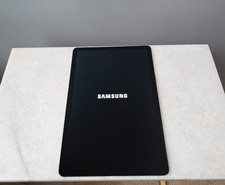
Samsung Galaxy Tab S5e 64GB 4GB RAM 10.5" WiFi Android Tablet Tested
$99.99

Samsung Galaxy Tab Active 3/ 64 gig/WIFI
$85.00