

 Reply With Quote
never mind i got it.
anyone that needs to know
you login as root
go to file manager and go into etc then apt then just click on the list


i see lots of help on what to change my source list, but im a newb and i dont know how to change it. any help would be nice
tia
never mind i got it.
anyone that needs to know
you login as root
go to file manager and go into etc then apt then just click on the list
I realize that coming from windows you would think that logging in as root is the way to go. Please stop doing that. It is not only unsafe but also unnecessary. Just execute commands as root w/ sudo OR become root in a terminal window. Example:Originally Posted by wrangler
sudo /etc/apt/sources.list
OR
su
<password>
xedit /etc/apt/sources.list
 Posting Permissions


Western Digital HUS726T4TAL5204 4TB 7.2K SAS 12Gb/s 3.5" 512e HDD NetApp X375A
$64.00

DELL 2TB Enterprise HDD (7200RPM, 3.5", SATA III, 128MB Cache) HUS722T2TALA600
$49.95

HDD 3.5" SATA Hard Drive with Windows 10/Win 11 64x Installed Legacy
$35.00

Seagate ST8000NM0075 Enterprise Capacity 3.5 HDD 8TB SAS Hard Drive 8TB EXOS
$184.99

Dell ST6000NM0034 1HT27Z-150 NWCCG 6TB SAS 3.5 7.2K ENTERPRISE SERVER DRIVE
$68.99
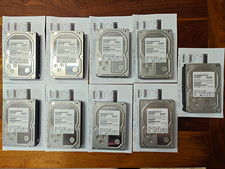
Hitachi Ultrastar 3TB 7200RPM 3.5in SATA III 6Gb/s - enterprise-grade hard drive
$49.00

Toshiba 14TB MG07 MG07ACA14TEY 7.2K RPM SATA 6Gb/s 512e 3.5" Enterprise HDD
$343.98
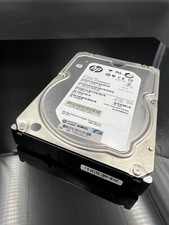
ST2000NM0023 SEAGATE 2TB 7200 RPM 6G DP SAS MDL 3.5“ HARD DRIVE
$14.90

Western Digital 1TB 3.5" SATA III 7200RPM Desktop Hard Drive
$34.99

HUS726060ALA640 HGST Ultrastar 6TB SATA 6Gbps 7.2K 3.5" Hard Drive OF21860
$129.99