-
2004-05-17 boots insanely slow
For some reason, booting the 2004-05-17 version of Knoppix is very slow on my laptop. Even the Knoppix image above the boot prompt loads slowly like an image on a web page over a dial up connection. When I try to continue booting, the dots that start going across the screen appear at a rate of about one each minute. When I try this same CD in another computer, it boots at a normal speed (some errors pop up later, but I'm more concerned about the boot speed). Other versions of Knoppix boot normally on the laptop. Anyone have any idea as to what would cause this?
-
Junior Member
registered user
I seem to have the very same issue, although I use the 05-17 version, HDD install.
It did not do this in the beginning. After some weeks without change (except apt-get upgrade and -update) there was a step during bootup which reads like this:
Atrating NIS Services... ypbind[binding to yp server... (10 dots appear, one each 30 or so seconds) backgrounded.
after 3 or 4 minutes the dots at the end of "[binding to yp server....." stop and it reads "backgrounded" at the end of the dotline.
I have no idea what this may come from. Is there any way to get rid of it again? It has worked perfectly before.
-
I too had that problem. It appears that when an upgrade is done to the sytem a new form of NIS is installed. This is the ypserver that you see happening. I just removed the NIS package from my computer (not exactly sure what it does but I don't appear to need it) and it now starts up much faster.
One other thing you could do is to remove the ypserver from your rc.d directories and that should also do it.
su
update-rc.d -f ypserver remove
That should do it I think. You may need to change the name of the file to do so (look in your /etc/rc[0-5].d directories to make sure of the name) but it should stop it from automatically starting up.
I noticed that a lot of new services began to start up on boot after the upgrade and have been removing them one by one.
-
Similar problem
(I also posted this in another thread, but haven't gotten an answer yet)
Hi.. It's my first day trying linux and I'm having this same problem. I tried searching for the answer based on the comment that ghetto had asked it before and been answered, but I can't seem to find it.
If it is the NIS that is causing me grief, how do I get to a place to type the apt-get remove nis?
As ghetto said, I don't get to a prompt.. just goes like normal, then the NIS thing that takes forever, then a black screen/out of range (if I'm on the lcd).
Thanks in advance!
Similar Threads
-
By pubo in forum Customising & Remastering
Replies: 4
Last Post: 07-07-2005, 08:34 AM
-
By travlr in forum Hardware & Booting
Replies: 3
Last Post: 04-13-2005, 04:57 PM
-
By Josh83 in forum Hdd Install / Debian / Apt
Replies: 5
Last Post: 04-05-2005, 06:20 AM
-
By ipfreak in forum General Support
Replies: 2
Last Post: 09-26-2004, 07:42 PM
-
By j0x in forum Hardware & Booting
Replies: 4
Last Post: 04-01-2003, 12:54 PM
 Posting Permissions
- You may not post new threads
- You may not post replies
- You may not post attachments
- You may not edit your posts
-
Forum Rules


(New) AMD Ryzen 7 5700X 8 Core 16 Thread AM4 Unlocked 3.4 GHz CPU OEM Tray
$174.99

SGIN 17.3" Laptop Intel Quad-Core Up to 2.4 GHZ 8GB RAM 256GB SSD HD
$229.99

HP ZBook Firefly 14" G8 Mobile Workstation i5 11th Gen 16GB RAM 256 GB SSD No AC
$184.99

acer swift air 14
$600.00

Intel Xeon E5 - 2667V2 / SR19W 3.30GHz 25MB 8-Core CPU Socket LGA2011
$30.00

AMD FX 8350 8-CORE 4.00GHz CPU FD8350FRW8KHK SOCKET AM3+ *QTY
$39.99
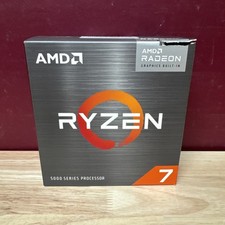
AMD Ryzen 7 5700G 8-Core 16-Thread 4.6GHz Max Boost, 3.8 GHz Base
$170.00

AMD Ryzen 7 9700X 8-Core 16-Thread 40MB Cache Socket AM5 9000 Series Processor
$245.99
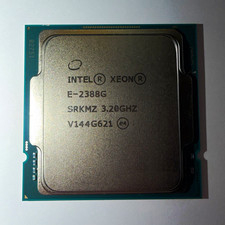
Intel Xeon E-2388G 8-Core 3.20GHz CPU Processor LGA 1151 SRKMZ
$799.99

Dell T7810 Workstation 8-Core 2.40GHz E5-2630 v3 No RAM GPU HDD OS
$259.98



 Reply With Quote