

 Reply With Quote
see http://www.knoppix.net/docs/
or when you have the Knoppix-CD mountet to /cdrom
and a fd without importand data use shell:
(all data on fd will be overwritten)
dd if=/cdrom/KNOPPIX/boot.img of=/dev/fd0
rob


I installed knoppix on the HD, without making bootable floppy when the installation was running.
How can I make bootable floppy now, when the knoppix is on the HD?
see http://www.knoppix.net/docs/
or when you have the Knoppix-CD mountet to /cdrom
and a fd without importand data use shell:
(all data on fd will be overwritten)
dd if=/cdrom/KNOPPIX/boot.img of=/dev/fd0
rob
PS: I don't know if this fd boots only CD-Roms or also your
hd-installation. I don't use fd anymore........
I understand. But I want to be shure, that I am on the secure side. I switched from indows recently and still have "gaps" in understanding linux. I just want possibility to boot into hd installed knppix, if sth happens with boot sector or lilo. And this ican happen, if you have more partitions on the disk.Originally Posted by Robert Michel
Salve o_corn!
>I understand. But I want to be shure, that I am on the secure side. I >switched from indows recently and still have "gaps" in understanding >linux.
I hoped someone other take-over and explaind you better what I havn't.
>I just want possibility to boot into hd installed knppix, if sth >happens with boot sector or lilo. And this ican happen, if you have >more partitions on the disk.
I fear what I wrote would only help for booting CD-ROMs.
A command like mkbootfd would not be bad-
BUT now you have a KNOPPIX CD.
I can remember, years ago that I fight with lilo, faild and
couln'd boot my system anymore. If today something would go
wrong, I could take a Knoppix-CD to repair this fault.
Read http://en.tldp.org/HOWTO/mini/LILO.html to learn more about LILO.
AFAI kow you can use boot=fd0 in your lilo.config to write LILO to
your floppy.
A good toutorial to become familar with GNU/Linux is the rutebook:
http://www.icon.co.za/~psheer/book/rute.html.gz
Beside my opinion, that Knoppix as rescue-tool is better
than a boot-disc, your question is still unanswered, and a good one:
How to make a bootdisc later?
Greetings
rob
Thank you. I have to say that it helps me a lot. I just turned upside down my thinking about the "problem". I am still thinking too windowish.
 Posting Permissions


Seagate ST6000NM0115 6TB 256MB 7200RPM 3.5" SATA 6.0Gb/s Enterprise Hard Drive
$159.99

Seagate Exos X14 10TB 7200RPM 3.5" SAS 12Gb/s Hard Drive HDD ST10000NM0528
$165.00

Seagate 14TB Exos X14 7200RPM SATA 6Gb/s 256MB 3.5" Enterprise HDD ST14000NM0408
$354.99

Seagate Exos X16 ST10000NM010G 10TB 7200RPM SAS 12Gb/s 3.5" 512e/4Kn HDD
$199.00
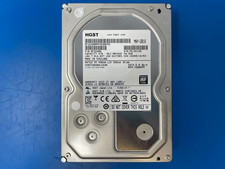
HGST 4TB 7200RPM 3.5" SATA 6Gb/s Internal HDD | HDN724040ALE640 0F22408
$75.00

HGST HUS724040ALA640 4TB 7200 RPM SATA 3.5" Internal Desktop Drive 100% Health
$78.00
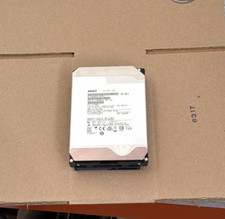
HGST - 6TB - 7200RPM 3.5" SATA 6Gb/s Enterprise Hard Drive | HUS726060ALA640
$84.99
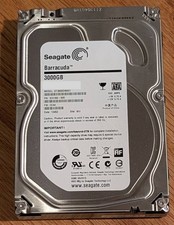
Seagate Barracuda 3TB 3.5" HDD 7200RPM 64MB SATA 6Gb/s ST3000DM001 Tested
$49.99
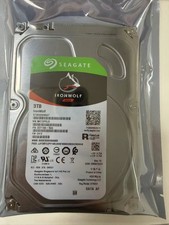
1PCS Seagate IronWolf ST3000VN007 3TB 5900RPM SATA 6Gb/s 3.5 NAS Internal Hard
$87.67
SEAGATE ST4000LM024 4TB 2.5" SATA 5400RPM 128MB HDD LAPTOP HARD DRIVE
$179.00
