

 Reply With Quote
FAT32? This is Linux. Use cfdisk to delete those parts you made and create new ones. Try ext3 or something.


I am trying to set Knoppix up on my second hard drive. I first created a partition that is FAT32 with Partition Magic. Later, within cfdisk, I am able to select this partition and I am able to configure the root and the swap, (5 gigs for root, 500 MB for swap - my memory is 256 MB).
I set up my partitions and get to the point where it says, "this will take 10 to 40 minutes". It installs to about 60% and then the screen goes black and the hard drive stops and nothing happens - just the black screen. I have tried this install procedure with cheatcodes and without - same results.
Version is 3.3.
Suggestions?
FAT32? This is Linux. Use cfdisk to delete those parts you made and create new ones. Try ext3 or something.
Well, he said install on a second HD, so I assume he intends this as a shared drive between Windows and Linux. But the point is that you want ext2, ext3 or reiser for your program partitions, but if you want to save your data to FAT32, that can be done. If you do everything in ext3, your Windows install won't be able to use it. Get used to partitions for linux - it's not like windows where everything is just all thrown together.Originally Posted by mzilikazi
JD
Okay, so I deleted the partitions I set up with Partition Magic and set them up within cfdisk as ext3. Still no luck.
You set the partitions as ext3 in cfdisk? If you really did do that then you've discovered a new function of cfdisk.
You can set the swap partition type to 'swap' or 'type 82' simply by selecting [type] and hitting <enter> a few times. It will then be Linux swap. The other partition only need be type Linux which is default for cfdisk.
Now....I presume you know about dpms and the monitor blacking out to save power. Hit the up arrow when the screen goes black and see if it comes back. Don't hit <enter> or <space> as you may unknowingly select something.
Another something to try? Boot like so:
knoppix testcd
It should return 'Everything looks ok'
If none of the above works then my last suggestion is to try the text mode installer. Just boot like so:
knoppix 2
Thanks guys for the help. If the screen turns black just hit an up arrow key, lol.
Knoppix rocks!
 Posting Permissions


Amiga Model 1080 RGB color CRT monitor - Parts Or Repair - Doesn’t Power On
$100.00

Microbotics Starboard 2MB + SCSI Sidecar for Amiga 1000 Vintage Computer READ
$329.00

RGB2HDMI Amiga 500 UltraLong (Accelerator Friendly) HDMI Games, non-RTG A500
$50.00

Amiga Emplant Emulator Card For Commodore Amiga 2000 4000 3000
$249.00
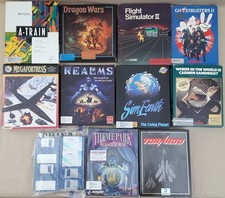
(10) BOXED Games for Commodore Amiga 500 600 1000 1200 2000 3000(T) 4000(T)
$329.98
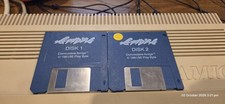
Apidya By Blue Byte ~ Original Amiga Game
$90.10

Commodore Amiga 4000 Motherboard Rev B - untested
$225.00
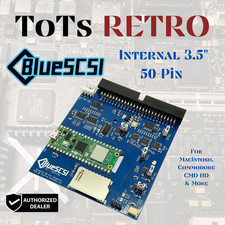
BlueSCSI v2 Internal 50-pin 3.5" SCSI Drive ,Wi-Fi,For Macintosh, Amiga, PC
$52.99

Best FlickerFixer RGB2HDMI Amiga HDMI Games, non-RTG A2000CPLDSlot v2.2
$75.00

ZuluSCSI Compact RP2040 - an affordable SCSI-2 (and 1) emulator w/ USB-C
$45.00
