-
HD Install no auto network start
Hello,
I am really new to Knoppix and Debian distros in general. Maybe this is a really stupid question but is there a way to make the network card to configure itself and have samba start when the OS starts? Is it normal for them to not automatically start if they have already been configured? Each time I start the operating system I have to go through the network card configuration wizard, all the settings are already in the boxes so all I have to do is go through and hit OK, but it is still annoying. Is there a program that allows you to select which services and daemons are started when the operating system starts?
Info:
Wired ethernet network
Knoppix 3.4 HD installed (multiuser)
Dell PowerEdge 2400
Stephen
-
Senior Member
registered user
What do you do to get networking up and running? Perhaps you can just add something to the end of /etc/init.d/bootmisc.sh. Try booting up then issue pump and see if that gets networking started for you. If so add pump to the end of /etc/init.d/bootmisc.sh.
All services that run on startup are located in /etc/init.d. To have apache run on boot for example do:
update-rc.d apache defaults
To stop a service:
update-rc.d -f apache remove
Note that this does not remove apache but rather the symlinks in the run levels so that apache does not start. There is something in the Kcontrolcenterwhateverthehellitscalled thing for sys-v-init but I thought it rather confusing personally.
-
Thank you for responding,
Right now what I do is run the 'network card configuration' and all the correct values come up already in the textboxes where it asks me for the ip addresses. For samba I open a terminal session and I type in /etc/init.d/samba start and that does what I need. So what would I need to do to make automatically come up?
Is it normal for this to happen, or does everyone else just find a way to deal with it?
Stephen
-
Senior Member
registered user
You need sysV-init editor. Read my post here:
http://www.knoppix.net/forum/viewtop...ghlight=nvidia
you'll get the idea.
-
Ok, I got the concept. Thank you for showing me that. Now I just have to know one thing, how do I get the network configured and up with that? I got samba to come up, I just need to know what to drag into the box to get it to bring it up.
Thank you,
Stephen
-
Duh,
Sorry about that, networking, how dumb could I be.
Stephen
Similar Threads
-
By ELeahi in forum Networking
Replies: 0
Last Post: 10-15-2004, 09:40 AM
-
By techdesk in forum Networking
Replies: 7
Last Post: 09-26-2004, 09:35 AM
-
By lkornowski2 in forum Networking
Replies: 12
Last Post: 05-01-2004, 11:50 PM
-
By mnomn in forum Hdd Install / Debian / Apt
Replies: 2
Last Post: 12-15-2003, 07:43 PM
-
By InstallScript in forum General Support
Replies: 2
Last Post: 02-09-2003, 10:58 PM
 Posting Permissions
- You may not post new threads
- You may not post replies
- You may not post attachments
- You may not edit your posts
-
Forum Rules


Intel Core i5-12500T SRL5W 2GHz 18MB 6 Core Socket LGA1700 Desktop CPU Processor
$114.99

(LOT OF 20) Intel Core i5-8400 CPU 2.80GHz Desktop Processor (SR3QT)
$700.00

Intel Core i7-4770 3.40GHz Quad Core SR149 LGA 1150 CPU Processor tested
$35.00

INTEL CORE I9-10940X X-SERIES PROCESSOR | 3.30GHZ | SRGSH
$179.99

Intel Core i7-9700 Octa-Core 3 GHz Desktop Processor LGA 1151
$79.99

Intel Core i7-7700K SR33A 4.20GHz 4-Core LGA1151 CPU Processor
$62.95

Intel Core i7-3770K 3.5 GHz Processor
$39.00
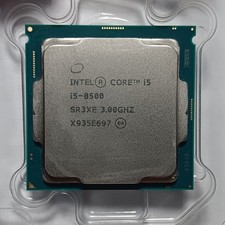
Intel Core i5-8500 SR3XE 3.00 GHz 6-Core CPU
$2999.00

Lenovo ThinkCentre M920s SFF Barebones PC Motherboard PSU DVD No CPU RAM SSD
$27.99
Intel Core i5-8400 SR3QT 2.8GHz CPU Processor
$39.99



 Reply With Quote