-
2 MBR's?
Ok, after trying hard to install Knoppix with my current configuration of HDD's, I've failed to succeed. So now I'm wondering if Could take a different approach. Is it possible for me to use my main hdd (hda) as a slave, make my slave (hdb) primary? I'll partition hdb up to have a small part (hdb1) for a boot record, a second for swap, a third for the install, and the rest for my Windows. Then keep hda1 as is. The thing I wonder is hda already has a boot partition on it (hda1) but this won't matter right? Since it'll change to slave, the first boot record on the new master will be read correct? Also, will my drive letters change and will WindowsXP (on hda2) still work w/o messing with the new drive changes?
-
You know, the boot partition or directory you are seeing is not the same thing as the Master Boot Record (MBR)--that's not visible in any common formatting tool.
If you make any changes here that are meaningful, you will definitely affect booting of your operating systems. And if you don't then all you are doing is making things more complicated. (Okay, you're getting more space, but it doesn't sound like that't really why you want to do this.) The only MBR that is read on boot is the one on the first drive on the primary IDE channel--so adding a new drive as master and making your current one slave means the MBR read on boot is the new one.
With Windows 9x (or DOS, or Win 3.x), it may not work at all. It generally needs to be on the first partition of the first disk. And it automatically assigns drive letters.
With Windows NT/2000/ME, moving the drive will probably give a BSOD on boot, as the OS looks to boot.ini to find where the rest of it is supposed to be--and won't find it.
And Linux will kernel panic. It will either try to find /etc/fstab and not find it, or will read it and not find itself where /etc/fstab says it should be.
I think the easiest way to do this with your new HD is to make it slave--and copy all your data to it. Then reformat the boot drive and re-install Windows leaving space for Linux. And when you install Linux, install lilo to the MBR. With most distros, Windows should be automatically added to the boot menu, but this route makes it simple to manually do so if it doesn't.
-
Sorry, in the fourth paragraph I meant Windows NT/2000/XP. ME is Windows 9x.
-
Senior Member
registered user
Stealth, your proposed method does indeed work. I have followed it before, with good results, as have a number of other people. In fact, when I decide to set up dual booting and HD install again, I will definitely do so using that method. See this thread for what I basically did.
http://www.knoppix.net/forum/viewtop...?p=19455#19455
But stuart_b's idea is very good also, and does offer some advantages, not the least of which is having clean installs of both OSes on one drive, with data on the other. In my case, I bought a ready-built PC which had everything preinstalled, but no XP disk. It has a partition to recover everything back to factory defaults, but it will probably take me days just to reinstall all the XP patches!!! Not to mention nuking out the adware and stupidware, and then all the apps will be reinstalled and registered on the original disk - Caramba!! Believe me, if I had all original disks for XP and the apps that I want, I would probably follow stuart_b's suggestion. But I don't and I won't.
JD
 Posting Permissions
- You may not post new threads
- You may not post replies
- You may not post attachments
- You may not edit your posts
-
Forum Rules


Kingston 32GB 64GB 128GB 256GB USB 3.0 Flash Drive Thumb Memory Stick Pen lot
$285.90

P43330-0A1 HPE 32GB 2RX8 PC5-4800B DDR5 SERVER RAM P43328-B21 / HMCG88MEBRA107N
$1100.00

2 in 1 USB 3.0 Card Reader Micro TF card Reader usb adapter High Speed Cardreder
$3.99

MICRON MTA36ASF4G72PZ-2G6E1 | 32GB PC4-2666V ECC RDIMM Server RAM
$184.95
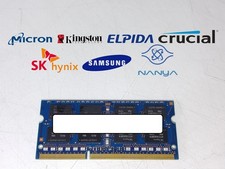
Major Brand 8 GB PC3L-12800 (DDR3-1600) 2Rx8 DDR3L Laptop Memory RAM
$10.99

USB 3.0 Flash Drive 32GB 64GB 128GB Memory Stick Thumb Stick Lot Pack
$826.09
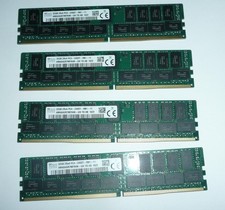
SK Hynix 128GB (4 x 32GB) PC4-2400T DDR4 ECC Server Memory HMA84GR7MFR4N-UH
$649.95

Kingston 32GB 2Rx4 PC4-2400T-RB1-11 ECC REG Server Memory HP24D4R7D4MAM-32
$140.00
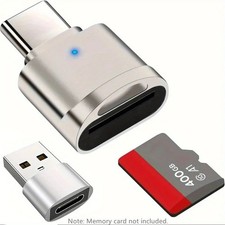
2 Pack USB C SD TF Card Reader Adapter Zinc Alloy USB-C to USB for iPhone 15-17
$3.35

x4 Intel 128GB NMB1XXD128GPS Optane Memory 200 Series PMEM Module 3200 DDR4 RAM
$329.99



 Reply With Quote